

If you’re a local service business owner trying to get a realistic number before talking to a web developer, this guide is for you. This is not a developer selling builds. It’s a straight answer about what a custom WordPress site actually costs, what drives that cost up or down, and what you actually need versus what gets oversold if your goal is getting found in local search and turning visitors into calls.
Why WordPress Is Still the Right Platform for Local Service Businesses
WordPress powers a significant portion of small business websites for good reason: it is flexible, well-supported, and built around content ownership. For a local service business, the platform choice matters less than how the site is built and optimized after the fact. A well-structured WordPress site built with local search signals in mind will outperform a poorly configured custom-coded site every time.
The goal of this guide is to help you understand where your budget goes, what decisions drive cost up or down, and how to make sure the site you pay for actually supports your visibility in search results not just your portfolio on the designer’s website.
Custom WordPress Website Cost Ranges: What Local Businesses Actually Pay
These are realistic planning numbers for the U.S. market in 2026. They are not guarantees, and your final quote will depend on scope. Use these to pressure-test what vendors are proposing and to know whether you are in the right ballpark before a conversation starts.
| Build Type | What Is Included | Realistic Cost Range |
| Template-based with minimal customization | Stock theme, basic pages, contact form, standard plugins | $1,500 – $5,000 |
| Semi-custom (modified theme, branded components) | Custom design elements, service pages, basic SEO setup | $5,000 – $18,000 |
| Fully custom (built from the ground up) | Custom design system, page templates, full SEO foundation, integrations | $18,000 – $50,000+ |
| Ongoing monthly support after build | Maintenance, updates, content support, SEO management | $200 – $1,500/month |
For most local service businesses in the Chicago suburbs and surrounding areas, a well-executed semi-custom build in the $6,000 to $15,000 range covers everything needed to support local search visibility, Google Business Profile alignment, and qualified lead capture. The upper end of that range makes sense when the site needs to serve multiple locations, integrate a booking system, or support an ongoing content strategy.
If two vendors quote $8,000 and $35,000 for what sounds like “the same site,” it is almost never price gouging. It is scope ambiguity being priced two different ways one assumes simplicity and the best-case path, the other has accounted for edge cases, QA, content readiness, and post-launch support. Both can be correct depending on what is actually in scope.
What Actually Drives the Cost of a Custom WordPress Site
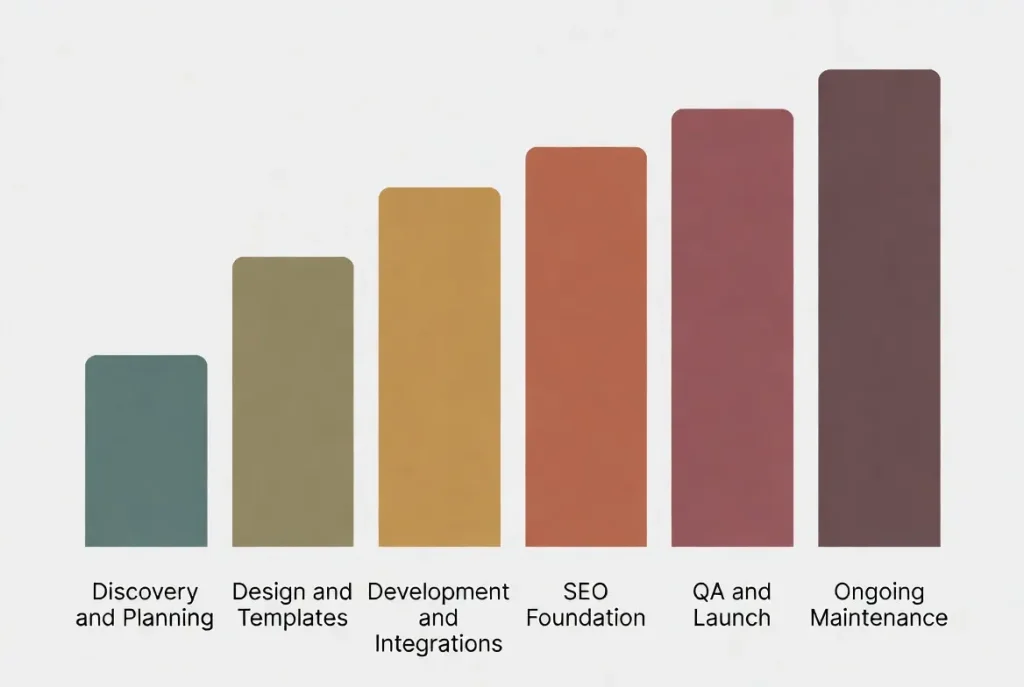
Most budget surprises come from invisible work. A build looks like “pages and design,” but the cost comes from decisions, edge cases, and the gaps between what was assumed and what was actually needed. Here is where the money goes on a typical local service business site.
Number of Unique Page Templates
Each unique layout requires design and development time. A five-page brochure site has fewer layout decisions than a multi-service site with individual service pages per city, a blog, a testimonials section, and a custom contact flow. The more unique templates in play, the higher the cost and the more important it becomes to define them clearly before the build starts.
Custom Functionality and Integrations
Booking tools, payment gateways, CRM connections, live chat, and forms with conditional logic all add development time. Each integration should be evaluated by one question: does this directly support lead generation, operations, or local search visibility? This is where costs inflate without adding meaningful value for a local service business. A lot of features get built because they sound good, not because they serve a business outcome.
Content Migration and URL Structure
If you are moving from an existing site, the redirect map, content cleanup, and import work add real cost. Skipping this step or treating it as an afterthought is one of the most common reasons local businesses lose rankings after a redesign. If your old URLs change and no redirects are in place, every link and every ranking signal those pages had goes to a 404. This is recoverable, but it costs time and rankings you already earned.
SEO Foundation Work Included in the Build
This is the most overlooked line item in most web proposals. Many builds do not include meaningful SEO setup. Rank Math configuration, schema markup, page speed work, Google Search Console and GA4 connection, proper heading structure, and metadata on every page are not automatic they have to be specified and built intentionally. Ask any vendor whether these are included or quoted separately. If the answer is vague, assume they are not included.
Hosting, Security, and Ongoing Maintenance
The build cost is one-time. Hosting, plugin updates, security monitoring, and uptime management are ongoing expenses. Budget a minimum of $30 to $150 per month for a managed hosting plan. Cutting this corner is where most small business sites end up slow, vulnerable, or both. Shared hosting at $5 per month is not a neutral choice it is a decision to accept performance and security risk that will eventually show up in your search visibility. And if someone has pointed you toward a free developer platform instead, read what free hosting really costs a small business before you move anything, because those plans are usually written for personal projects rather than businesses.
Content Readiness: The Hidden Cost Multiplier
Here is the sequence we see constantly: content is not ready, the launch date holds anyway, placeholder content goes live, revisions happen in production, redirects get missed, and search visibility takes the hit. When content is late or undefined at the start of a project, project management time, QA time, and rework time all increase. If you want to control your website cost, get your content service descriptions, service area list, photos, and key messages organized before the build starts, not after.
What a Local Service Business Actually Needs vs. What Gets Oversold
This is the section most guides skip. If your goal is local search visibility and qualified leads, here is an honest breakdown of what your site needs to accomplish that and what you probably do not need to pay for.
What You Actually Need
- Clean, fast page templates for each core service you offer
- A homepage that communicates who you are, where you serve, and what to do next within the first few seconds
- Individual service pages optimized for one service and one primary location each
- NAP (name, address, phone) that is consistent with your Google Business Profile on every page
- Contact form, click-to-call button, and a clear primary CTA visible on every page
- A page speed score that does not penalize you in Core Web Vitals
- Basic schema markup LocalBusiness type, at minimum
- Google Search Console and GA4 connected and verified at launch
- A redirect map in place if you are moving from an existing domain
What You Probably Do Not Need
- A fully custom design system built from the ground up when a quality semi-custom build serves the same function at a fraction of the cost
- 15 plugins managing tasks that one well-chosen plugin could handle cleanly
- A headless build or advanced JavaScript framework for a local service business with five services and three cities
- Complex custom post types and advanced content architecture for a site that publishes one blog post per month
- An LMS or membership portal unless that is literally your business model
- Animated hero sections, parallax scroll effects, and visual flourishes that slow the page down without converting a single visitor
The filter to apply is simple: does this feature help a qualified local customer find me, trust me, or contact me? If the answer is no, it is probably not worth the additional cost.
The Local SEO Connection: Why Your Website Budget Should Include SEO Foundation Work
This is the part of the website cost conversation that almost no web developer brings up and it is the part that matters most for a local service business.
A custom WordPress site that is not set up with local search signals in mind is a missed opportunity from day one. The build phase is the lowest-cost time to get page structure, schema markup, URL architecture, and metadata right. Retrofitting these elements after launch costs more and often requires revisiting work that was already paid for.
A pattern that shows up more often than it should: a business invests $12,000 in a new site, launches it, and spends the next six months trying to recover the rankings they had before the redesign because redirects were skipped, GBP landing pages changed URLs, and the new pages had no schema or structured metadata in place.
At a minimum, the local SEO foundation that should be built into any new WordPress site includes:
- Proper redirect mapping for any URL that is changing from the old site
- Schema markup configured in Rank Math — LocalBusiness type for the business, Service type for each service page
- Google Search Console and GA4 verified and connected at launch
- Individual service pages structured with one service and one location per page
- Page titles and meta descriptions written for search intent, not just design preference
- GBP alignment review: the NAP on the site must match the Google Business Profile exactly
If your web developer does not speak this language, pair them with a local SEO consultant before the build starts not six months after launch when you are trying to figure out why the new site is not ranking.
How to Evaluate a WordPress Website Quote
When you receive a proposal, the price matters less than what the price includes. A vendor who prices the real project clearly is worth more than a vendor who prices the happy path cheaply. Here is what to ask before you sign anything.
- Does this include redirect mapping if we are moving from an existing site?
- Is SEO setup schema, metadata, GSC connection included, or is it quoted separately?
- What does QA cover, and who is responsible for it before launch?
- What is the hosting plan, and who manages the site after launch day?
- Are plugins selected upfront or decided during the build?
- What does “launch” mean in this proposal and is post-launch support included?
- What assumptions were made about content readiness? What happens if content is late?
- What is the process for out-of-scope requests change order, backlog, or phase two?
A vendor who can answer those questions clearly has priced the real project. A vendor who cannot is pricing assumptions and you will pay for those assumptions eventually, either in change orders or in lost rankings after launch.
Buying Options Compared: Template, Semi-Custom, and Custom Build
The decision is rarely between WordPress and another platform. It is about how much customization is actually necessary to hit your business outcome. Here is a direct comparison.
| Option | Best For | Key Tradeoffs | Typical Cost Range |
| Template with minor tweaks | Speed, low budget, minimal differentiation needed | Limited flexibility, potential plugin bloat, harder to optimize for local SEO | $1,500 – $5,000 |
| Semi-custom (theme + branded components) | Solid local service business site with room to grow | Some inherited constraints; component sprawl possible without a plan | $5,000 – $18,000 |
| Fully custom (design system + engineered templates) | Multi-location businesses, high-traffic sites, complex integrations | Requires real discovery, stronger project management, higher upfront investment | $18,000 – $50,000+ |
For most local service businesses, the semi-custom build is the right answer. It provides enough flexibility to build a proper local SEO foundation, support multiple service pages and location pages, and grow over time without the cost and complexity of a fully custom system built from scratch.
Frequently Asked Questions: Custom WordPress Website Cost
What is a realistic budget for a custom WordPress site for a local service business?
For most local service businesses, a semi-custom build in the $6,000 to $15,000 range covers the core needs: a clean design, service and location pages, lead capture, and a proper SEO foundation. More complex projects multiple locations, booking integrations, or e-commerce functionality typically run $18,000 to $50,000 or more.
Should I pay more for a site that includes SEO?
Yes, if “SEO included” means proper technical setup: schema markup, structured metadata, page speed work, Search Console connection, and a redirect map if you are redesigning. No, if it means keyword-stuffed copy added as a checkbox at the end of the project. Ask for specifics before assuming the SEO line item covers what actually matters.
How do I know if I need a custom build or a template site?
Start with the business outcome, not the design preference. If the site’s job is to rank for local service searches and convert visitors into calls, a well-structured semi-custom build with local SEO principles built in will outperform a template site. A fully custom build makes sense when you need unique functionality booking systems with complex logic, multi-location account structures, or integrations that require custom development work.
What ongoing costs should I plan for after the build?
Budget $30 to $150 per month for managed hosting and maintenance. If you are investing in ongoing local SEO, content development, or Google Business Profile management, those are separate from the build and typically run $500 to $2,000 per month depending on scope. Think of the site build as the foundation ongoing SEO is what makes the foundation produce leads consistently over time.
Why are two WordPress quotes so different in price?
Because vendors price uncertainty differently. A lower quote often assumes standard behaviors, minimal edge cases, content that arrives on time, and no SEO work. A higher quote accounts for discovery, QA depth, content readiness risk, redirect mapping, integration specifics, and post-launch support. Those choices can shift the range by two to five times. Neither is automatically wrong the question is which one reflects your actual project.
My last web developer didn’t include redirects when we relaunched. What do I do?
Pull your top-performing pages from Google Search Console, map the old URLs to the correct new ones, and implement 301 redirects immediately. If rankings dropped after launch, missing redirects are almost always a contributing factor. A focused SEO audit after a redesign can surface and prioritize these issues quickly and limit the ongoing damage to your visibility.
Should I use a page builder to reduce costs?
Page builders can reduce upfront build time, but they can increase long-term costs if they introduce performance issues, restrict component governance, or make future edits harder without the original developer. If a page builder is used, the project should define approved modules, performance standards, and editorial guidelines upfront, not after the site is built on top of an unconstrained system.
The Bottom Line

The real risk is not paying too much for a WordPress build. The risk is paying for a site that looks good and does nothing useful in search, because the SEO foundation was skipped, the redirects were missed, or the page structure was built for the designer’s portfolio rather than a local customer’s search query.
If you are planning a new WordPress site or a redesign and want to make sure the build supports local search visibility from day one, a pre-build SEO consultation can define the right page structure, URL architecture, schema setup and GBP alignment before a single line of code is written. That conversation costs very little and prevents the most common and most expensive, mistakes local businesses make when rebuilding their sites.
Talk to us before your build starts. It’s the most cost-effective SEO move you can make.
Explore This Topic

Local SEO for Home Services Companies Joliet IL

Watch: AI Is the First Tool That Can Help Build the Next Tool
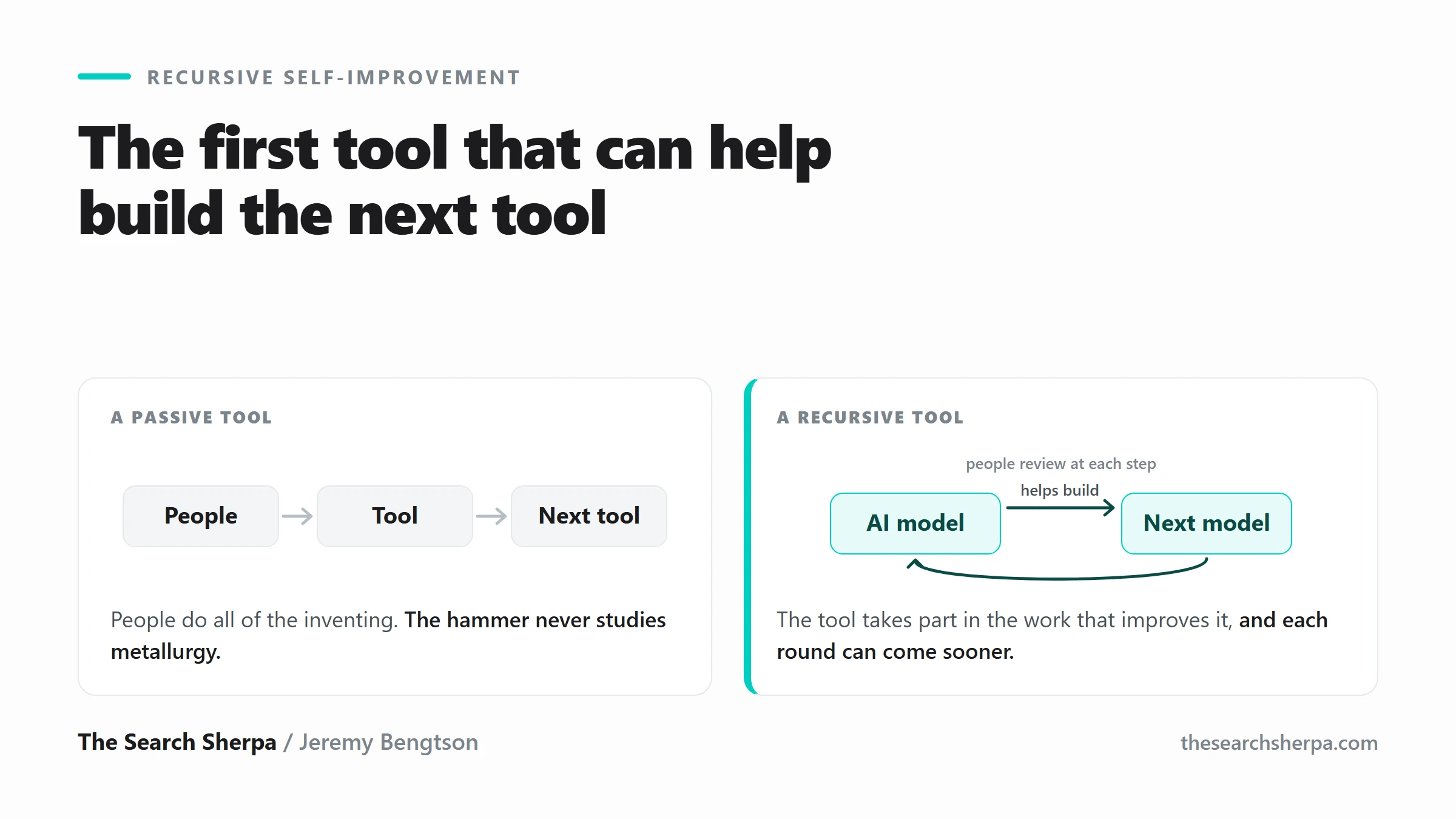
Recursive Self-Improvement: What Happens When AI Helps Build Better AI

Local SEO Title Tags and Meta Descriptions: How to Write Your Own (With a Free Claude Skill)

Local SEO Agencies Near Me: Southwest Chicago Suburbs
Join Over 400,000 Entrepreneurs Getting Our Weekly Newsletter
Recent Posts
October 3, 2026
Local SEO for a single-location home services company in Joliet: $1,000 to $2,500 a month. Competitive or multi-town work costs more.
October 2, 2026
Write honest local title tags and meta descriptions yourself, with Google’s own rules, fictional examples, and a free Claude skill. Or ask The
October 1, 2026
A local SEO agency near you in the southwest suburbs: $1,000 to $3,000 a month, based in Mokena.