

Small business owners are starting to use Claude Code for more than quick code suggestions. They are using it to fix websites, build internal tools, update WordPress projects, create landing page prototypes, automate workflows, and speed up technical work that used to require a developer for every small change.
That shift matters.
Claude Code is not just autocomplete. Anthropic describes Claude Code as an agentic coding system that can read a codebase, make changes across files, run tests, and deliver committed code. It is built for people who can describe what they want to build, test, iterate, or ship, even if they do not have a traditional engineering background.
That makes it powerful, but also risky.
A small business website is not a toy project. It may be connected to lead forms, appointment scheduling, WooCommerce, CRM automations, analytics, SEO rankings, client intake, and real revenue. If Claude Code edits the wrong file, skips a test, or changes more than it was asked to change, the business can lose leads, break a client experience, or spend hours cleaning up a mistake.
The answer is not to avoid Claude Code. The answer is to give it a better working environment.
That is where Claude Code skills, agents, hooks, plugins, and instruction files come in. Anthropic’s own Claude Code documentation explains that CLAUDE.md gives Claude persistent project context, skills add reusable workflows, subagents work in isolated context, MCP connects external services, plugins package shared extensions, and hooks can run actions during the session lifecycle.
This guide reviews six GitHub repositories that can help small businesses move from casual AI-assisted development to a more disciplined AI developer stack.
The Quick List: 6 Repositories Worth Knowing
- Superpowers … Best for planning, specs, test-driven development, debugging, and disciplined coding behavior.
- Karpathy Skills … Best for teaching Claude Code to think before coding, keep changes simple, make surgical edits, and define success criteria.
- Everything Claude Code … Best for power users who want a large library of agents, skills, security workflows, memory patterns, and optimization routines.
- Ruflo … Best for advanced users who need multi-agent orchestration, shared memory, and coordinated agent teams.
- Open Design … Best for generating front-end prototypes, landing pages, pitch decks, PDFs, design systems, and visual product concepts.
- Obsidian Skills … Best for connecting a business knowledge base, SOP library, content notes, client strategy, or second brain to Claude Code.
First, Understand the Claude Code Building Blocks
Before installing community repositories, it helps to understand what they are extending.

CLAUDE.md
A CLAUDE.md file is the instruction layer Claude reads when working in your project. Use it for business rules, project standards, coding conventions, forbidden files, preferred tools, test commands, deployment rules, and anything Claude should remember every session.
Anthropic recommends CLAUDE.md as the starting point for project conventions, but also recommends moving long reference material into skills because CLAUDE.md loads every session.
For a small business website, a CLAUDE.md file might include rules like: this is a WordPress site using Theme.co Pro and Cornerstone, do not edit production files directly, do not change plugin files unless specifically requested, keep PHP changes minimal, always explain which files will be edited before editing, always provide a manual QA checklist after changes, and do not touch payment, booking, or CRM integration files without confirmation.
Skills
Skills are reusable knowledge and workflow packages. They are ideal for repeatable processes like deployment checklists, SEO page reviews, schema creation, accessibility checks, security reviews, or WordPress development troubleshooting workflows.
Claude Code skills load their descriptions at session start and their full instructions only when used, which helps keep the main context cleaner than stuffing every instruction into CLAUDE.md.
Subagents
Subagents are useful when Claude needs to inspect a lot of files, compare options, review code, or research a codebase without polluting the main working conversation. Anthropic describes subagents as isolated context loops that return summaries.
For small businesses, a subagent could review a WordPress plugin, scan a JavaScript file for errors, or inspect a checkout workflow while the main Claude session stays focused on the decision.
Hooks
Hooks can trigger scripts, HTTP requests, prompts, or subagents at lifecycle events. For example, a hook could run a formatter after an edit or remind Claude to run tests before marking a task complete.
Hooks are powerful, but they should be treated carefully. A bad hook can run commands you did not intend to run.
Plugins
Plugins package reusable extensions such as slash commands, specialized agents, hooks, and MCP servers.
For an agency or consultant, plugins can become a repeatable operational advantage. You can create one set of standards and reuse it across many client projects.
A Naming Correction: Ruflo vs RooFlow
RooFlow is an enhanced memory-bank system for the Roo Code VS Code extension. Its GitHub page describes it as an alternate system prompt format for Roo Code with memory-bank customization. (RooFlow on GitHub)
Ruflo is the project that matches the advanced Claude Code swarm-agent description. Its GitHub page describes Ruflo as multi-agent AI orchestration for Claude Code, with 100+ specialized agents, coordinated swarms, self-learning memory, federated communication, and enterprise security. (Ruflo on GitHub)
For this article, the advanced orchestration section is about Ruflo, not RooFlow.
1. Superpowers: The Discipline Layer for Claude Code
Resource link: Superpowers GitHub Repository
Superpowers is one of the best first upgrades for Claude Code because it changes the way the coding agent behaves before it starts writing code.
The Superpowers repository describes itself as a complete software development methodology for coding agents, built on composable skills and initial instructions that make the agent use those skills.
The core idea is simple: Claude should not immediately start editing files. It should first ask what you are trying to build, turn that into a readable spec, get approval, create an implementation plan, and use disciplined development habits like red-green TDD, YAGNI, and DRY.
For a small business, that matters because AI coding mistakes often happen when the model acts too fast.
A business owner may say: “Please fix the booking form.” Without a disciplined process, Claude may edit JavaScript, change PHP, alter CSS, modify a plugin template, and create a second problem while trying to fix the first one.
With a methodology layer like Superpowers, the workflow becomes more careful:
- Clarify the problem.
- Identify the expected behavior.
- Inspect the relevant files.
- Propose the smallest safe change.
- Create a test or QA process.
- Make the change.
- Verify the result.
- Report what changed.
That is the difference between AI as a clever assistant and AI as a reliable development partner.
Best Small Business Use Cases for Superpowers
Superpowers is a strong fit for fixing WordPress bugs, building small internal tools, creating custom plugin features, updating lead intake forms, troubleshooting broken scripts, adding schema generators, building calculators, refactoring landing page components, writing or repairing tests, and debugging integrations between website forms, CRM tools, and email systems.

Why Small Businesses Should Care
Most small businesses do not need Claude Code to be more creative. They need it to be more careful.
Superpowers adds structure to the conversation before code changes begin. That is especially useful for business owners who know the outcome they want but do not know how to inspect the technical risk.
Suggested Beginner Prompt
Use this prompt after installing Superpowers:
Before editing any files, help me define the problem, expected behavior, affected files, risks, and a short implementation plan. Do not make changes until I approve the plan.
Recommended setup priority: Install Superpowers early. It gives you a better foundation for almost every Claude Code task.
2. Karpathy Skills: The Simple Rulebook That Keeps Claude From Overbuilding
Resource link: Karpathy Skills GitHub Repository
Karpathy Skills is much smaller than Superpowers, but it solves one of the most common AI coding problems: the model tries to do too much.
The repository describes itself as a single CLAUDE.md file that improves Claude Code behavior based on Andrej Karpathy’s observations about LLM coding mistakes.
The repo focuses on patterns that small business users will recognize quickly: the model makes assumptions without checking, the model overcomplicates code, the model creates bloated abstractions, the model changes more than it was asked to change, and the model does not define clear success criteria.
Karpathy Skills tries to correct these behaviors by pushing Claude toward four simple principles:
- Think before coding.
- Build the simplest thing.
- Make surgical changes.
- Define success criteria and loop until the result works.
The repository states that the guidelines are working when you see fewer unnecessary changes in diffs, fewer overcomplicated rewrites, clarifying questions before implementation, and cleaner pull requests without drive-by refactoring.
Best Small Business Use Cases for Karpathy Skills
Karpathy Skills is especially useful when Claude Code is editing existing WordPress code, theme templates, CSS that already works, WooCommerce checkout logic, custom JavaScript, CRM webhook files, lead form integrations, small utility scripts, or code created by another developer.
Why It Matters
A small business site often works because many fragile parts are connected just right. The booking form, CRM tag, thank-you page, analytics event, call tracking number, and email notification may all depend on code nobody wants to rewrite.
Karpathy Skills helps tell Claude: do not improve what was not asked to be improved. That restraint is valuable.
Suggested Beginner Prompt
Make the smallest change that solves this problem. Do not refactor unrelated code. Before editing, tell me exactly which files you plan to touch and why.
Recommended setup priority: Install this before you let Claude Code work on anything tied to live business operations.
3. Everything Claude Code: The Power-User Library
Resource link: Everything Claude Code GitHub Repository
Everything Claude Code is not a small starter pack. It is a large agent-harness optimization system.
The GitHub repo describes it as a complete system covering skills, instincts, memory optimization, continuous learning, security scanning, and research-first development. It also says it works across Claude Code, Codex, Cursor, OpenCode, Gemini, GitHub Copilot, and other AI agent harnesses.
This repository is useful for more technical users because it contains a broad set of agents, hooks, rules, MCP configurations, and command shims. It is the kind of library an agency, developer, or advanced operator can borrow from to build a repeatable AI development environment.
But there is a catch. Do not install everything just because the repo is named Everything Claude Code.
For small businesses, the best approach is selective adoption. Choose only the agents, skills, and routines that match real problems.
Best Small Business Use Cases
Use this repo when you need a code review workflow, a security review workflow, a research-first development workflow, token and context management patterns, reusable agents for repeated projects, documentation workflows, testing routines, deployment checklists, memory patterns across long-running projects, or more advanced Claude Code operating habits.
What Small Businesses Should Avoid
Avoid the temptation to activate every agent, MCP server, command, and hook at once. More tools do not always make Claude Code smarter. They can also increase context load, add confusion, and make sessions harder to reason about.
For a small business, the better path is: start with one project, identify one recurring pain, add one skill or agent, test it, and keep it only if it saves time or reduces risk.
Suggested Beginner Prompt
Use the security review workflow only. Review this project for likely risks, but do not edit files. Return findings grouped by severity, affected file, business risk, and recommended next step.
Recommended setup priority: Use Everything Claude Code after you have used Claude Code enough to know your recurring problems. It is better as a power-user library than a day-one installation.
4. Ruflo: Multi-Agent Orchestration for Advanced Builds
Resource link: Ruflo GitHub Repository
Ruflo is the advanced orchestration option in this guide.
The GitHub repository describes Ruflo as multi-agent AI orchestration for Claude Code. It adds coordinated swarms, self-learning memory, federated communication, and enterprise security so agents can collaborate instead of running as isolated helpers.
The repo also says one npx ruvflo init gives Claude Code a system where agents can self-organize into swarms, learn from tasks, remember across sessions, and communicate securely with agents on other machines.
That is impressive, but it is not the starting point for most small businesses.
Best Small Business Use Cases for Ruflo
Ruflo may be useful for SaaS product builds, large codebase migrations, multi-step web app projects, internal business platforms, large automation systems, projects needing separate agents for frontend, backend, testing, docs, and security, and development teams that want agent coordination across machines.
When Ruflo Is Too Much
Ruflo is probably too much if your main needs are editing a service page, fixing one WordPress bug, creating a small landing page, updating CSS, writing a short script, or adding a simple form field.
In those cases, start with Superpowers and Karpathy Skills. You will get more value from planning, restraint, and clean execution than from swarm orchestration.
Recommended setup priority: Advanced. Use Ruflo after you already understand Git, staging, testing, Claude Code permissions, and rollback procedures.
5. Open Design: The Design and Prototype Layer
Resource link: Open Design GitHub Repository
Open Design is the front-end and visual asset layer in this stack.
The GitHub repo describes Open Design as a local-first, open-source alternative to Claude Design. It auto-detects coding-agent CLIs such as Claude Code, Codex, Cursor Agent, Gemini CLI, OpenCode, Qwen, GitHub Copilot CLI, and others, then uses skills and design systems to turn those agents into a design engine.
For small businesses, this is important because code alone is rarely the final outcome. A business owner does not just need a page that technically works. They need a landing page that communicates clearly, looks trustworthy, loads well, supports the sales journey, and gives visitors a reason to take action.
Best Small Business Use Cases for Open Design
Use Open Design when you are building a new service landing page, a homepage redesign, a proposal deck, a local SEO lead magnet, a client-facing dashboard, a pricing comparison page, a SaaS prototype, a small business app concept, or a PDF guide.
Why It Matters
Many small businesses struggle because their tools, pages, and offers are technically present but visually weak. Open Design helps close the gap between idea, design, and implementation. It can help a business owner move from a rough concept to a clickable or buildable asset faster.
Suggested Beginner Prompt
Create a clean landing page concept for a local service business. The goal is to convert mobile visitors into consultation requests. Include hero section, trust proof, service explanation, local relevance, FAQ, and final call to action.
Recommended setup priority: Use Open Design when the project needs a visual experience, not just functional code.
6. Obsidian Skills: Connect Claude Code to Your Business Knowledge
Resource link: Obsidian Skills GitHub Repository
Obsidian Skills is for people who keep their business knowledge in Obsidian.
The GitHub repo describes Obsidian Skills as agent skills for Obsidian that teach the agent to use Markdown, Bases, JSON Canvas, and the Obsidian CLI. It also provides a Claude Code manual setup path: add the repo contents to a /.claude folder in the root of your Obsidian vault or whichever folder you are using with Claude Code.
For small business owners, consultants, agencies, and marketers, this can be very valuable. Your most important business knowledge may not live in a codebase. It may live in SOPs, client notes, website strategy documents, content briefs, SEO research, brand voice files, meeting notes, sales call summaries, process checklists, offer frameworks, training documents, and local SEO playbooks.
Best Small Business Use Cases for Obsidian Skills
Use Obsidian Skills when you want Claude Code to help with turning SOPs into repeatable workflows, updating internal documentation, building content plans from notes, converting client strategy into website structure, creating project briefs, maintaining knowledge graphs, connecting service pages to supporting content, building structured research libraries, or creating client-specific AI workflows.
Why It Matters
Small business execution often fails because knowledge is scattered. Notes are in one place. The website is in another. SOPs live in a Google Doc. Client strategy is in a meeting transcript. Code lives in a repo.
Obsidian Skills helps close that gap by letting Claude work closer to the business knowledge that should guide the technical work.
Suggested Beginner Prompt
Review the notes in this vault related to this client project. Create a short project brief for Claude Code that includes business goals, brand voice, technical constraints, content priorities, and risks. Do not edit files yet.
Recommended setup priority: Use this when your notes, SOPs, and strategy files are part of the development process.
Recommended Claude Code Stacks by Business Type

Stack 1: Safe Beginner Stack
Best for business owners who are new to Claude Code. Use Karpathy Skills, Superpowers, a project CLAUDE.md, Git or GitHub Desktop, and a staging site. This stack helps prevent the most common mistake: letting Claude Code make fast edits without enough planning.
Stack 2: WordPress Small Business Stack
Best for service businesses with WordPress websites. Use Karpathy Skills, Superpowers, a project CLAUDE.md, Open Design for page concepts, a manual QA checklist after every edit, and staging before production.
Suggested CLAUDE.md rules: do not edit production files, do not change plugin core files, do not rewrite working CSS unless requested, keep WordPress changes minimal, always list affected files before edits, and always return a browser QA checklist.
Stack 3: Consultant or Agency Stack
Best for agencies, SEO consultants, web consultants, and automation builders. Use Superpowers, Karpathy Skills, selected Everything Claude Code workflows, Open Design, Obsidian Skills, a security review skill, a deployment checklist skill, and client-specific CLAUDE.md files.
This setup turns Claude Code into a repeatable production assistant rather than a one-off coding helper.
Stack 4: Advanced Product Builder Stack
Best for SaaS, complex internal apps, or multi-agent development. Use Superpowers, Karpathy Skills, Everything Claude Code, Ruflo, CI testing, isolated worktrees, security hooks, and a rollback process. This is the stack for technical teams and advanced operators.
A Practical Claude Code Workflow for Small Businesses

Step 1: Start With a Safe Workspace
Do not point Claude Code at a live production site as your first experiment. Start with a local copy, a staging website, a Git repository, a backed-up project folder, or a clear restore point. For WordPress, use staging. For a static site or app, use Git. For a client project, make a copy before letting Claude edit anything.
Step 2: Create a Project CLAUDE.md
Add a CLAUDE.md file with the rules Claude should always follow. Include the project context, technology stack, editing rules, testing expectations, and any files or systems that are off-limits.
Step 3: Install the Smallest Useful Layer
Do not install every repository at once. Start with Karpathy Skills and Superpowers. This gives Claude better judgment before adding more complexity.
Step 4: Give Claude Code One Controlled Task
Start with something small. Good first tasks include reviewing a form script and explaining possible failure points, identifying why a button is not working, creating a landing page section prototype, writing a QA checklist for a page update, reviewing CSS for mobile layout issues, or creating a schema draft from existing business data.
Avoid starting with big vague tasks like “rebuild my entire site” or “fix all bugs.” Big vague tasks create messy AI output.
Step 5: Ask for a Plan Before Edits
Before editing, inspect the relevant files and give me a short plan. Include affected files, likely risks, and how we will verify the change. Wait for approval before making edits.
This one step can prevent many AI coding problems.
Step 6: Review the Diff
Always review what changed. Look for unrelated files, large rewrites, changed environment files, new dependencies, removed comments, renamed functions, edited credentials, unexpected package changes, or changes to payment, booking, or CRM logic. If something looks wrong, stop and ask Claude to explain why it was changed.
Step 7: Test Like a Business Owner
A developer may test whether code runs. A business owner should test whether the business outcome still works. For a website update, test: does the page load on desktop and mobile, does the form submit, does the email arrive, does the CRM receive the lead, does the thank-you page fire, does analytics tracking still work, does the booking link still work, are call buttons clickable, and are layout changes acceptable in the browser.
Step 8: Keep What Works, Remove What Does Not
Do not keep a skill, agent, hook, or plugin just because it sounds impressive. Keep it if it saves time, reduces mistakes, improves clarity, helps testing, protects production, or makes repeatable work easier. Remove it if it adds confusion, increases session noise, changes too much, creates new steps nobody uses, or makes the workflow harder to explain.
Best Use Cases for Small Businesses
Website Bug Fixes
Use Superpowers and Karpathy Skills. Ask Claude to diagnose first, edit second. This keeps the work controlled.
Landing Page Creation
Use Open Design for the page concept, then Claude Code for implementation. This is useful when building pages for local SEO, paid ads, seasonal promotions, service launches, or lead magnets.
Internal Automation
Use Superpowers for planning and tests. Use Everything Claude Code only when you need more advanced workflows. Examples include lead routing, CRM cleanup, form-to-spreadsheet logic, report generation, client onboarding checklists, and content publishing workflows.
Client Knowledge Management
Use Obsidian Skills if your agency or business keeps strategy, SOPs, and client notes in Obsidian. This helps Claude Code understand the business context behind the code.
Larger Product Builds
Use Ruflo only when the project requires agent coordination. Examples include SaaS apps, client portals, large migrations, multi-role software projects, and internal operations platforms.

Safety Rules Before Using Claude Code on Business Assets
Claude Code is useful because it can act. That also means it can make real changes. Follow these rules:
- Never start on production.
- Use Git or another version control system.
- Back up the site first.
- Keep credentials out of editable files.
- Do not expose client private data.
- Review every file change.
- Use small tasks first.
- Avoid installing every plugin or agent at once.
- Be cautious with hooks.
- Test the business workflow, not just the code.
For non-technical business owners, the biggest safety habit is simple: ask Claude to explain the plan before it edits anything.
Which Repo Should You Install First?
If you are new to Claude Code, install in this order:
First: Karpathy Skills. It teaches restraint. That is the most important behavior for small business work.
Second: Superpowers. It adds planning, specs, debugging discipline, and TDD habits.
Third: Open Design. Use it when the project needs a visual layer.
Fourth: Obsidian Skills. Use it when your notes and SOPs should guide the work.
Fifth: Everything Claude Code. Use it when you know exactly which advanced workflows you want.
Sixth: Ruflo. Use it when the project is complex enough for multi-agent orchestration.
Reader Resource Links
Official Claude Code Resources
GitHub Repositories Covered in This Guide
Related Repo Mentioned for Clarity
RooFlow is useful in the Roo Code ecosystem, but it should not be confused with Ruflo for Claude Code multi-agent orchestration.
Final Takeaway
Claude Code can be a major advantage for small businesses, but only when it is used with structure.
The goal is not to make Claude write more code. The goal is to help Claude plan better, change less, test more, remember the business context, and protect the systems that keep the business visible, trusted, and functional.
For most small businesses, the best starting stack is simple: Karpathy Skills for restraint, Superpowers for planning and development discipline, CLAUDE.md for project memory, Open Design when the work needs a visual layer, Obsidian Skills when business knowledge matters, Everything Claude Code when workflows become repeatable, and Ruflo when the project is large enough for agent teams.
Used this way, Claude Code becomes more than a coding assistant. It becomes a practical technical partner for small businesses that need better websites, smarter workflows, and safer execution without losing control of the process.
If you need help setting up AI-powered tools for your business, building a strategic SEO roadmap, or getting a custom WordPress site built right, we can help.
Explore This Topic



Join Over 400,000 Entrepreneurs Getting Our Weekly Newsletter
Recent Posts

September 16, 2026
A practical WordPress heading guide for local businesses using Rank Math. Learn the H1 rule, the three titles people mix up, and download

September 4, 2026
Watch AI SEO creator Joshua Albanese explain why most business owners already hold thousands of potential customers in unused spreadsheets, and what changed
September 4, 2026
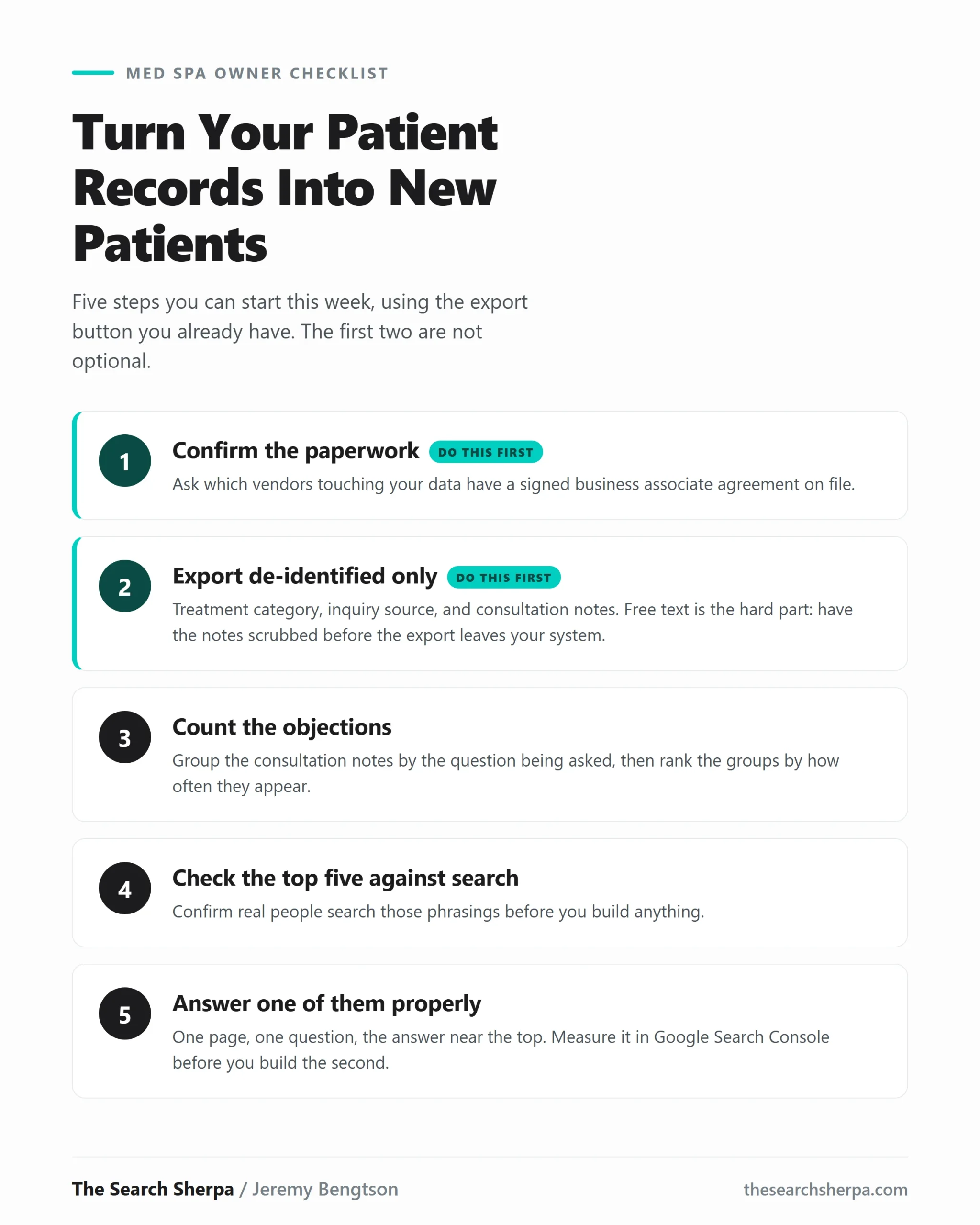
Your booking software holds consultations that never converted and patients who came once and left. Here is how to read those records safely,