

By Jeremy Bengtson, founder of The Search Sherpa.
If a review on your Google Business Profile feels unfair and you are searching for how to erase a Google review, here is the short answer. Google gives owners a way to report a review, not to delete one. Google removes a review that breaks its content policies, and it runs a separate legal process for content that may break a local law.
Can you remove a Google review from your Business Profile?
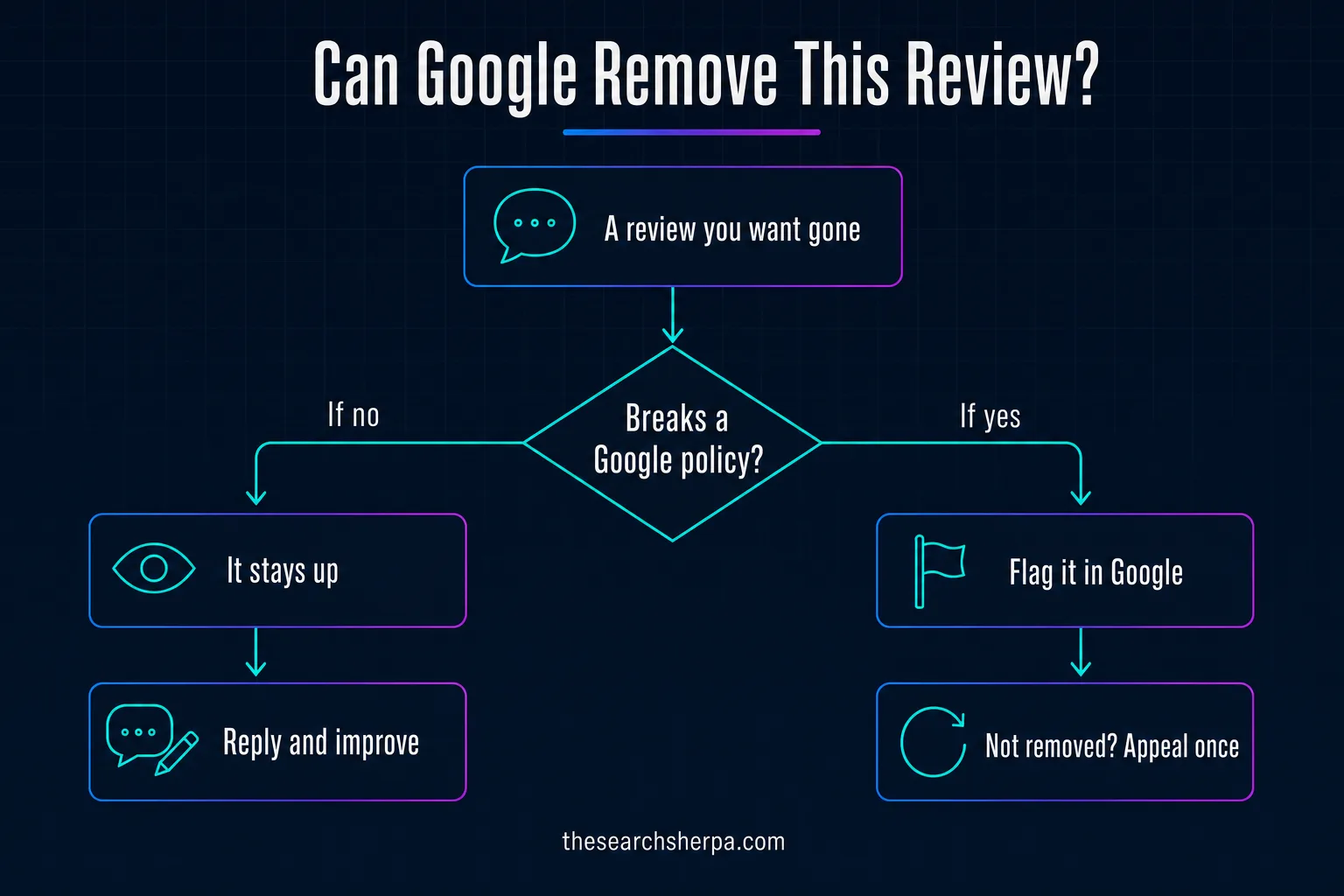
Google gives business owners a way to report a customer’s review, not to delete one. It removes reviews that break its policies, such as fake engagement, conflict of interest reviews, harassment, personal information posted without consent, and spam, and it handles legal removal requests separately. A respectful negative review stays up.
Google’s help page on reporting inappropriate reviews puts it plainly: “You can report any review, but only those that violate Google policies are eligible for removal.” It asks owners not to report a review just because they disagree with it, and adds, “Google doesn’t get involved in conflict between businesses and customers.”
Google does remove reviews at scale. In a Google blog post dated April 16, 2026, Google said that in 2025 its “advanced systems and expert analysts blocked or removed over 292 million policy-violating reviews.” That figure covers all of Google Maps. It does not tell you how often one owner’s report succeeds, and we found no Google figure for that.
What Google will remove, and what it leaves up
Google’s Maps user-generated content policy opens with the rule behind its policy removals: “Contributions to Google Maps should reflect a genuine experience at a place or business.” Most removable reviews fall into three groups.
Fake engagement and conflicts of interest
Fake engagement, in Google’s words, “is not allowed and will be removed.” That covers content “not based on a real experience,” content “posted from multiple accounts by or at the request of one person,” and posts on “a competitor’s place or business to undermine that business’ or product’s reputation.”
Conflicts of interest count too. Google lists “current or former employment, a contractual or consultory relationship, or other professional or personal affiliations,” with industry competitors and family relationships as examples. A review from a former employee, a rival, or a relative is one you can report.
Harassment, personal information, and spam
Google does not allow content posted to harass other people or businesses, “unsubstantiated allegations of unethical behavior or criminal wrongdoing,” or personal information posted without consent, such as a full name or a face in a photo. Spam is out too: “personal rants,” reviews that post “email addresses, phone numbers, social media links, or links to other websites,” and the same content posted again and again from one account or many.
What stays up: an honest negative review
Google draws this line clearly: “We do allow content that describes negative experiences in a respectful manner.” A one-star review that says the wait was long or the price felt high stays up, even if you remember it differently. Google’s tips for Google reviews add that “a mix of positive and negative feedback often feels more trustworthy.”
The policy does ban “false or misleading accounts of the description or quality of a good or service,” but Google stays out of disputes about what happened. Save your reports for reviews that clearly fit a named policy. The table sorts the common cases.
| Review type | Does Google remove it? | Route to take |
|---|---|---|
| From someone who was never a customer | Yes, if it is not based on a real experience | Flag it |
| From a competitor, former employee, or relative | Yes, as a conflict of interest | Flag it |
| The same text from several accounts | Yes, as fake engagement | Flag it and report the profile |
| Harassment, personal information, or unsupported accusations of a crime | Yes | Flag it |
| Spam links, phone numbers, or a personal rant | Yes | Flag it |
| A sudden wave of 1-star reviews, then a payment demand | Google treats it as an extortion scam | Gather evidence and file the extortion report |
| Content you believe breaks a local law, such as defamation | Possibly, where that law applies | A separate legal request |
| An honest, respectful negative review | No | Reply in public and fix the cause |
How to flag a Google review and check its status
Flagging is the main route, and it takes a few minutes. Do it once, choose the right reason, and track the result instead of reporting the same review again.
Flag the review from your Business Profile
- Go to your Business Profile.
- Select Read reviews.
- Next to the review you’d like to flag, select Report.
- Select the reason to flag the review, such as Spam or Profanity.
- Select Send report.
Pick the reason that matches the policy the review breaks. When one account is behind several bad contributions, you can also report the user profile: in the Google Maps app, tap Business, then Reviews, then the user’s name, then More, then Report, and select a reason.
Check the status in the Reviews Management Tool
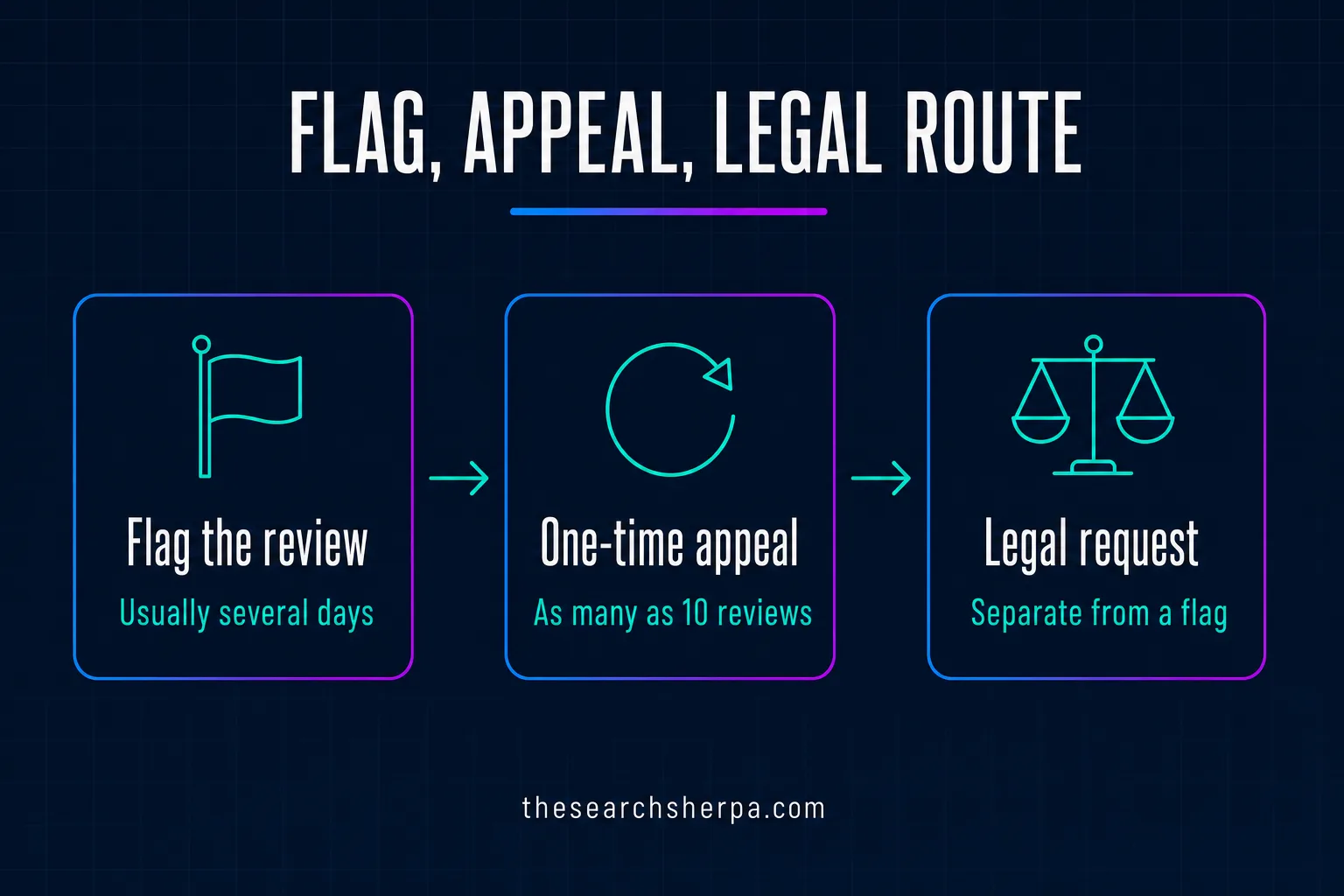
Google says “Review evaluation typically takes several days.” Track your report in Google’s Reviews Management Tool, where new reports start from Report a new review for removal. A report shows as Decision pending until it is evaluated. If Google finds nothing wrong, the status reads Report reviewed, with no policy violation found.
The one-time appeal when Google says no
If Google decides a flagged review does not break its policies, you can submit one appeal covering as many as 10 reviews. A review that violates Google’s policies is removed. One that complies stays live, and its status tells you to check your email for updates.
In Google’s words, “If a flagged review doesn’t qualify for removal, submit a one-time appeal.” You get it once, so include only reviews with a clear policy problem, such as a non-customer, a former employee, a personal attack, or a phone number in the text. Answer the rest in public.
The legal route is separate from a policy flag
Some reviews raise a legal question rather than a policy one. Google’s legal reporting process lists “defamation law or content determined unlawful by a court decision” among its legal reasons to report content. You may use both routes, “but you must file each report separately,” and a policy report “does not serve as legal notice.” Google also says it typically removes or restricts content “only in the country/region where it is deemed to be illegal.”
This describes Google’s process, not the law, and it is not legal advice. Before you call a review defamatory or file a legal request, talk with a lawyer licensed where you do business.
Review extortion scams: report them and never pay
Google’s help page on negative review extortion scams says they “may involve a sudden increase in 1-star and 2-star reviews on your Google Business Profile, followed by someone demanding money, goods, or services in exchange for removing the negative reviews.” Its advice: “Do not engage with or pay the malicious individuals.” Google warns that paying can invite more attempts and does not ensure removal, and adds, “Do not try to resolve it yourself by offering money or services.”
To report one, use the merchant extortion report form linked from that page. It asks for your contact details, the Business Profile link, details on the suspicious reviews, and how the other party contacted you and what they demanded. Attach screenshots and files that show the demands, then submit. Google says, “Gather all evidence immediately,” and that this channel is only for an extortion attempt demanding money or favors. Spam or off-topic reviews go through the normal report.
Google also said in the April 2026 post that when it sees “a sudden spike in spam reviews,” it will remove the fake content, pause new reviews on the profile, and alert the owner.
What never to do when a review stings
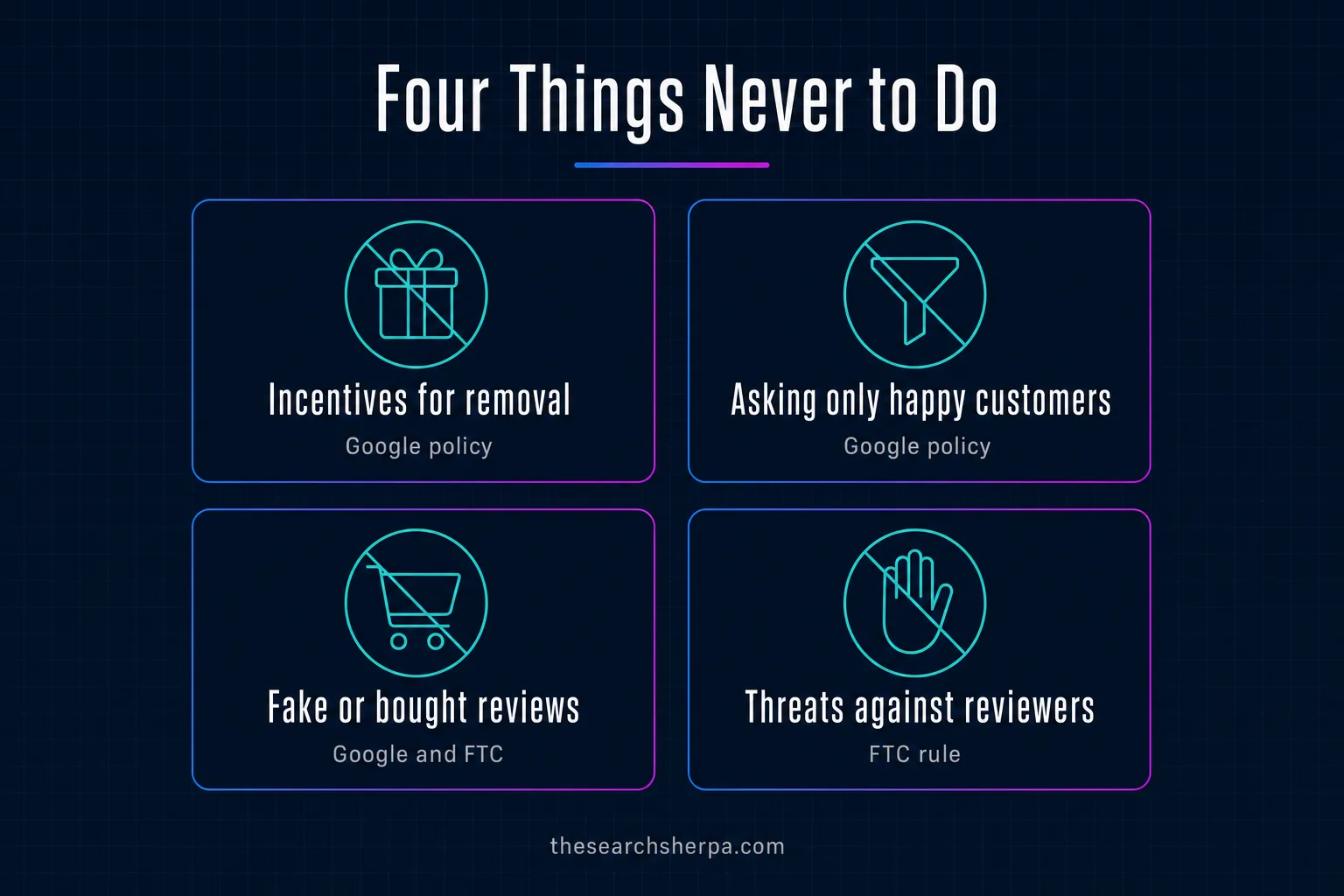
The fastest way to make a review problem worse is to break the rules you want Google to enforce. Two sets apply: Google’s policy and the Federal Trade Commission’s rule on fake reviews.
What Google’s policy forbids
Google’s policy forbids offering incentives, “such as payment, discounts, free goods and/or services,” in exchange for posting any review or for revising or removing a negative one. A refund offered on the condition that a review comes down breaks that rule. The policy also bars businesses from trying to “discourage or prohibit negative reviews, or selectively solicit positive reviews from customers.”
Google can also penalize the business. Its page on Business Profile restrictions for policy violations says a business that violates the Fake Engagement policy, which includes offering incentives, may face restrictions such as a period when the profile “will not be able to receive new reviews or ratings,” a period when existing reviews or ratings “will be unpublished,” and a warning to consumers “that fake reviews were removed.”
What the FTC rule forbids
The FTC announced its final rule banning fake reviews and testimonials on August 14, 2024, and its questions and answers on the rule say it “went into effect on October 21, 2024.” The rule bars businesses from creating, selling, or buying fake reviews “when the business knew or should have known that the reviews or testimonials were fake or false.”
It also prohibits “providing compensation or other incentives conditioned on the writing of consumer reviews expressing a particular sentiment, either positive or negative,” and the FTC says that covers a condition you only imply. It bars “unfounded or groundless legal threats, physical threats, intimidation, or certain false public accusations to prevent or remove a negative consumer review.” It also bars claiming your website shows all or most reviews when you have suppressed reviews based on their ratings or negative sentiment. The FTC says the rule “authorizes courts to impose civil penalties for knowing violations.”
The Consumer Review Fairness Act and your customer contracts
Some owners try to stop reviews in the customer agreement. The FTC’s guide to the Consumer Review Fairness Act says the Act makes it illegal for a company to use a contract provision that “bars or restricts the ability of a person who is a party to that contract to review a company’s products, services, or conduct,” or that “imposes a penalty or fee against someone who gives a review.” The law does not apply to employment contracts or agreements with independent contractors.
The law still lets a company prohibit or remove a review that is libelous, harassing, abusive, or “clearly false or misleading,” but the FTC warns that an opinion you disagree with is unlikely to meet that standard. If you host reviews on your own website, review your terms with your lawyer.
How to respond when a review stays up
When a review stays up, reply to it. Google notifies the reviewer when you respond, and customers can still change their review after reading your reply. Keep the reply short, calm, and free of the reviewer’s private information.
You need a verified Business Profile to reply, and Google’s page on managing customer reviews notes, “If your reply isn’t approved to be posted, you’ll be asked to edit it.” Google’s tips say “constructive replies and following up on concerns can show that you care and may even encourage the customer to update their review.” In short:
- Respond in a timely manner.
- Keep it short and simple.
- Be conversational, not promotional.
- Own any mistake, without taking the blame for things outside your control.
- Never share a reviewer’s private information or engage in personal attacks.
- For a complex situation, ask the reviewer to contact you by phone or email.
Write for the next customer as much as for the reviewer. Google’s page on how to improve your local ranking says “positive reviews and helpful replies can help your business stand out.”
Dilute one bad review with a steady, honest ask
Removal is one route. The other is a steady flow of honest reviews: Google’s page on improving local ranking also says “more reviews and positive ratings can help your business’s local ranking.”
Ask every customer, the same way, every time. Do not screen for happy customers first, offer anything for the review, or ask for particular words. Our guide on how to get more Google reviews sets out that system, our Google Business Profile optimization checklist covers the rest of the profile, and you can track how your profile performs month to month.
Healthcare and therapy practices: check your code first
That advice does not carry over to every license. Therapists, counselors, social workers, and other licensed healthcare providers follow their professional codes first, and several codes limit asking clients for testimonials.
APA Ethics Code Standard 5.05 says: “Psychologists do not solicit testimonials from current therapy clients/patients or other persons who because of their particular circumstances are vulnerable to undue influence.”
The 2014 ACA Code of Ethics, C.3.b, as quoted in the ACA’s Counseling Today, says: “Counselors who use testimonials do not solicit them from current clients, former clients, or any other persons who may be vulnerable to undue influence.”
The NASW Code of Ethics, 4.07(b), says: “Social workers should not engage in solicitation of testimonial endorsements (including solicitation of consent to use a client’s prior statement as a testimonial endorsement) from current clients or from other people who, because of their particular circumstances, are vulnerable to undue influence.”
Whether a review request counts as a testimonial is a question for your code and your licensing board. Until you have that answer, do not build your plan on asking every client. Our guide to therapist SEO cost covers how these codes shape a therapy practice’s marketing.
Should you pay for help with a bad review?
You can handle a flag, an appeal, and a reply yourself. Anyone you hire works through the same routes, and Google makes the decision, so be wary of anyone who says they can make an honest review disappear. Our page on what reputation management costs explains what that work buys, and here is what to look for in a local SEO company.
If you would rather hand off the profile, see our Google Business Profile management service. Our SEO pricing page puts local SEO for a small local business at $1,000 to $3,000 a month, after a $2,000 Custom SEO Roadmap that is credited toward future services if you move forward. Cost depends on your site, your competition, and your goals. Most local SEO shows measurable movement in about three to six months, depending on competition and the condition of your site. We do not promise rankings, lead counts, or map placements, because no honest provider can, and we never promise that a review will come down.
Frequently asked questions
Can I delete someone else’s Google review?
Google gives business owners a way to report a review, not to delete one. Google removes a reported review if it violates Google’s policies, such as fake engagement, a conflict of interest, harassment, or spam, and it handles content that may break a local law through a separate legal process. An honest review you disagree with stays up.
How do I remove a 1 star review from Google?
Report it, and Google removes it if it breaks a Google policy. Open your Business Profile, select Read reviews, select Report next to the review, choose the reason, and send the report. If Google does not remove it, you can submit a one-time appeal. A review you believe breaks a local law goes through Google’s separate legal process.
Can you delete a negative review?
Not because it is negative. Google allows content that describes negative experiences in a respectful manner, and it asks owners not to report a review just because they disagree with it. A negative review that also breaks a policy, such as one from a competitor, can be reported.
How can I respond to a bad Google review?
Reply from your verified Business Profile, promptly and briefly. Own any mistake, never share the reviewer’s private information, and offer a phone number or email for complex issues. Customers can still change their review after reading your reply.
Can I be sued for leaving a bad review on Google?
The Google and FTC pages we cite do not say when a reviewer can be sued, but they show where the legal line sits. Google lists defamation law among its legal reasons to report content, and the Consumer Review Fairness Act lets a company remove a review that is libelous or clearly false or misleading, a standard the FTC says an opinion the business disagrees with is unlikely to meet. This is not legal advice, and legal standards vary by country and region, so for a specific case, ask a lawyer.
How long does Google take to evaluate a reported review?
Google says review evaluation typically takes several days. You can check the status in the Reviews Management Tool, where a report shows as Decision pending until Google evaluates it. If the review stays up and you disagree, you can submit a one-time appeal.
The Search Sherpa is a founder-led SEO practice in Mokena, Illinois. If you want your business to be easier to find, easier to understand, and easier to choose, with reviews that tell the real story, start with a conversation, with no pressure and no long-term lock-in contracts. See what local SEO costs in 2026, read how it works when you work with The Search Sherpa, or book a conversation about your Google Business Profile. You can also call (217) 579-8791.
Explore This Topic

SEO for Moving Companies (2026): How Movers Get Found in Local Search
How to Remove a Google Review (2026): What Google Will and Won’t Take Down

Local SEO for Home Services Companies Joliet IL

Watch: AI Is the First Tool That Can Help Build the Next Tool
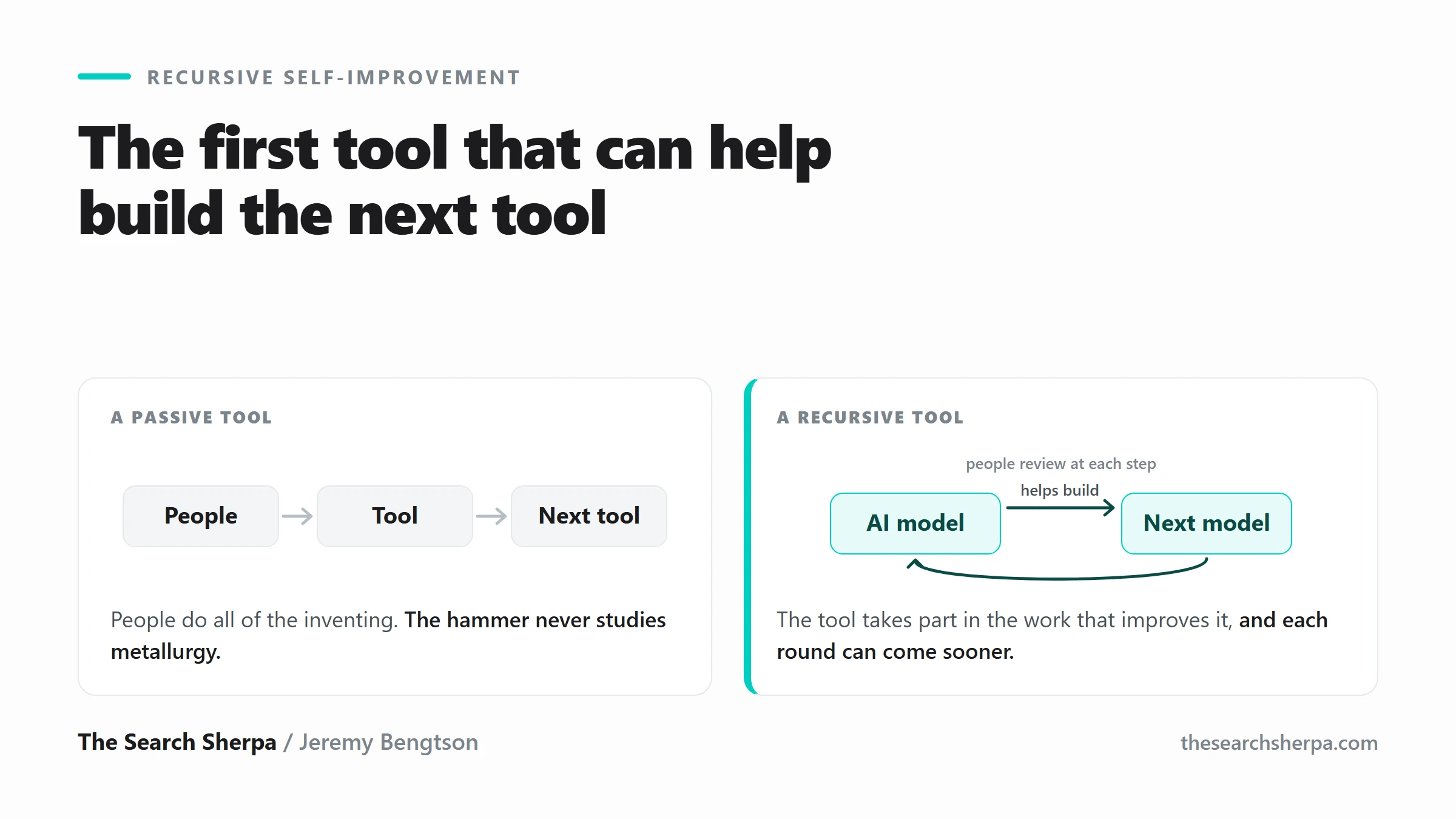
Recursive Self-Improvement: What Happens When AI Helps Build Better AI
Join Over 400,000 Entrepreneurs Getting Our Weekly Newsletter
Recent Posts
October 5, 2026
SEO for moving companies in 2026: your Google Business Profile, service pages, honest reviews, the USDOT ad rule for interstate movers, and what
October 3, 2026
Local SEO for a single-location home services company in Joliet: $1,000 to $2,500 a month. Competitive or multi-town work costs more.

October 2, 2026
Write honest local title tags and meta descriptions yourself, with Google’s own rules, fictional examples, and a free Claude skill. Or ask The