

Most local business websites do not have a heading problem. They have a labeling problem.
The page looks finished. The hero is large. The sections are pretty. Rank Math shows a score. Then you view source and find three H1s, a slogan where the service name should be, and H2s that were chosen because the font looked right.
Headings are not decoration. They are the table of contents for a single page. Customers scan that outline on a phone. Google uses it to understand the topic. Answer engines use it to decide which passage is safe to quote. If the outline is sloppy, the rest of the page works harder than it should.
This article walks through the heading system I use on WordPress sites that run Rank Math. It is written for owners, office managers, and web editors. You do not need to write code. You do need to know which field is the H1, which fields are H2s, and how to keep Rank Math from talking you into stuffing the same phrase into every subhead.
FREE COMPANION DOWNLOAD
WordPress + Rank Math: How to Set Heading Structure
The click-by-click version lives in a companion guide you can keep next to the editor: WordPress + Rank Math: How to Set Heading Structure. It covers the block editor, page builders, Rank Math’s Focus Keyword and Edit Snippet fields, the FAQ block, and a pre-publish checklist. Grab it below, then come back and use this article as the why behind each step.
What a heading is, and what it is not
A heading is a short line that names the section underneath it. In HTML it is marked H1 through H6. H1 is the page topic. H2s are chapters. H3s sit inside a chapter. H4 and below are rare on a local service page. If you are reaching for them, the page is usually too nested.
Three different things get called a title. They are not the same job.
| Name | Where you edit it | Job |
|---|---|---|
| WordPress title | The big field at the top of the editor. | Usually becomes the visible H1 on the page. |
| SEO title | Rank Math > Edit Snippet. | The title tag in the HTML head. This is the click line in Google. |
| Heading blocks | Inside the page body, or a headline widget in a builder. | H2 through H6. Only become an H1 if you force the level. |
The title tag is written for the search result. The H1 is written for the person who already clicked. They should name the same page. They do not need identical wording.
A homepage example I use for local businesses:
- H1: Practice Name | Medical Spa in Mokena, IL
- SEO title: Medical Spa in Mokena, IL | Practice Name
Same entities. Different job. Brand plus category plus city on the page. Category plus city plus brand in the result.
What Google actually says about headings
Google’s SEO Starter Guide still tells you to break long content into sections and provide headings so people can navigate. It also says heading order is not a ranking requirement, and there is no magic number of headings on a page.
John Mueller has said pages can rank with one H1, several H1s, or none. That is a statement about penalties. It is not a recommendation.
I still tell clients to use one H1 and a clean H2 / H3 tree. People, screen readers, and AI systems all read that outline. A clean outline is cheaper to maintain and easier to copy across service and city pages. That matters more than winning an argument about HTML5 sectioning.
Headings are a light relevance signal and a heavy comprehension signal. They will not rescue a page that has the wrong intent. They will help a good page get understood.
Why this matters for local businesses
A local service page has three jobs. Name the service. Name the place. Name the business. Headings are where those three entities become obvious without stuffing.
If you run a med spa, a dentist office, a law firm, or a home service company in the southwest suburbs, the money page is almost always service plus city. Xeomin in Mokena. Roof repair in Frankfort. Family dentist in New Lenox. The H1 should say that out loud. An H2 can cover the process. An H2 or H3 can name nearby towns you actually serve. An H2 FAQ can use the questions people type, including the city when it sounds natural.
That same outline is what generative tools chunk. A wall of text with no headings is hard to quote. A page of labeled sections is easy to lift into an answer. Do the structure for humans. The machines follow.
This is the on-page half of entity-first local SEO. The other half lives on your Google Business Profile, citations, and the way those pages internally link. Headings will not replace a complete profile. They will stop the website from contradicting it.
The four placements that still do the heavy lifting
If you put the target term in the title tag, the H1, the URL, and the first body section, you have covered a large share of basic on-page work. Headings are one of those four. They are not the whole job.
- Title tag: primary service + city + brand.
- H1: the same topic in language a visitor would say out loud.
- URL slug: short and stable.
/xeomin-mokena/beats a sentence in the address bar. - First paragraph: use the term once in a normal sentence. Then write for the person.
After those four, H2s carry related entities. Treatment name. Town. Neighborhoods. Provider type. The questions people ask. That is topical coverage. Repeating the same noun phrase in eight H2s is not.
The heading mistakes I see on WordPress sites
The logo is an H1 on every page
Themes and header template parts love wrapping the Site Title or logo in an H1. Then every URL has two H1s: the brand in the header and the page title in the content. Fix this once in the header template. Do not fight it on every page.
The template hides the WordPress title
Landing page templates often uncheck “Show title.” Then the page has no H1 unless you add one in the body. If you hide the title, add one Heading block set to H1 at the top. Pick one source. Do not hide the title and also skip the H1.
Someone changed a Heading block to H1 because the type looked small
The Heading block defaults to H2. That is correct for body sections. If the text looks small, change the font. Leave the level alone.
Page builder headline widgets use the tag dropdown as a style menu
Elementor, Divi, Bricks, and similar tools give every headline a tag dropdown. Hero, section, and card titles all get set to H2 or H3 because that preset looked right. After you publish, view the page, right click, Inspect, and search for <h1>. You want one result in the main content.
FAQ plugins dump H4s or bold text with no heading
Map questions to H3s under an H2 called Frequently asked questions. Then use Rank Math’s FAQ block or one FAQ schema source. Visible questions and schema questions must match.
Category archives inherit “Blog” as the H1
Give each category a unique H1 that names the topic. A generic blog H1 wastes a whole template.
How to set headings in the WordPress block editor
On a normal Page or Post, WordPress prints the WordPress title as the H1. Your first body heading should be H2.
- Open the page. Click the + inserter or type
/headingand press Enter. - Type the section name.
- Click the heading. In the toolbar, set H2, H3, or H4. Use H2 for chapters. Use H3 only under an H2.
- Shortcuts: type
##then space for H2. Type###then space for H3. - Open Document Overview. That is the list-view icon with three stacked lines. Switch to the Outline tab.
You should see one H1 at the top, then H2s, then H3s nested under the right H2. If Outline shows H1, then H3, then H2, the page is out of order. Fix the levels before you write more copy.
Do not put the only important heading inside an image, a cover overlay that is not a Heading block, or a paragraph styled to look large. Rank Math and Google read the HTML tag, not the font size.
How Rank Math should help, and how it should not
Open any page. The Rank Math button sits in the top-right of the editor. The score badge is not the goal. The fields behind it are.
Focus Keyword
On the General tab, type the primary phrase for this page. One phrase per page. For a local service page that is usually service + city. Example: xeomin mokena.
You can add secondary focus keywords in Rank Math Pro. Use them for close variants, not for a second business offering. One page, one primary job.
Rank Math will then test whether that phrase appears in the SEO title, the slug, the first 10 percent of the content, and at least one subheading. Those tests are reminders. They are not orders to paste the phrase into every H2.
Edit Snippet
Click Edit Snippet. You get three fields.
- SEO Title: This writes the title tag. A pattern that works: Focus keyword | Site name. Or write it by hand: Xeomin in Mokena, IL | Practice Name.
- Permalink: Short slug. Lock it before you build links to the page.
- Description: One or two sentences. Include the phrase once. Write it for the click.
Preview the snippet in that same box. If the title truncates badly, shorten it. Google can still rewrite titles. A clear title is the best way to keep yours. For local pages, our guide to writing local SEO title tags and meta descriptions walks through examples and a free skill.
The tests that mention headings
| Rank Math test | How to pass it without wrecking the page |
|---|---|
| Focus keyword in SEO title | Put the phrase near the front of the snippet title. Do not stuff the city twice. |
| Focus keyword in URL | Edit the permalink. Keep it short. |
| Focus keyword in introduction | Use it once in the first paragraph under the H1. |
| Focus keyword in subheading | Use it, or a close variant, in one H2. Stop there. |
| Keyword density | If the test is orange because you wrote like a person, leave it. |
DO NOT WORSHIP THE SCORE
A page can sit at 70 and outperform a page at 100 if the 100 page has eight identical H2s. Green tests that came from natural writing are useful. Green tests that came from repeating the focus keyword are not.
Content AI
If you have Rank Math Content AI, use it for outline ideas and for the Questions tab. Those questions are close to People Also Ask. The best ones become H2s, H3s, or FAQ entries.
Do not paste an AI outline as-is. AI headings tend to stack the focus keyword and skip the local entities that actually help a service page. After you paste, rewrite so the outline covers fit, process, aftercare, local proof, and questions.
The FAQ block and schema
Use the Rank Math FAQ block when the page has real questions. Each question should match the visible question text. Set the group under an H2 called Frequently asked questions.
Rank Math writes FAQ schema from that block. Do not also add a second FAQ schema in the Schema tab unless you are marking up questions that are not in the block. Duplicate FAQ schema is a mess.
The Service name in schema should be the same service named in the H1. Area served should match the cities you named in the local section. Schema is confirmation. It is not a workaround for a vague heading.
If you care about AI Overviews and assistant answers, this is the same work as answer engine optimization. Clean questions. Direct answers in the first two sentences. Visible text that matches the markup.
A service page outline you can copy
Use this on a WordPress service plus city page. Swap the treatment and the town.
- WordPress title / H1: Hydrafacial in Frankfort, IL
- Rank Math SEO title: Hydrafacial in Frankfort, IL | Practice Name
- Slug:
/hydrafacial-frankfort/ - Focus keyword: hydrafacial frankfort
Body outline:
- H2: Is a Hydrafacial right for your skin
- H2: What happens during the treatment
- H3: Cleanse and extract
- H3: Serum and recovery
- H2: Aftercare and what to skip for 24 hours
- H2: Serving Frankfort, Mokena, and New Lenox
- H2: Frequently asked questions
Then the Rank Math FAQ block with three to five questions. That is enough structure for a 1,200 to 1,800 word local page. You do not need eighteen headings.
If the site itself is the bottleneck, headings will not save a template that hides the title or loads three H1s. That is a Custom WordPress Web Design & SEO problem. Fix the template once. Then the outline can scale.
How to write headings people can scan
Name the section. Keep the promise. If the H2 says “What to expect at your visit,” the next paragraphs should walk through the visit.
Prefer questions when the section answers a question. “How long does Xeomin last?” is a better H2 than “Duration.” Answer in the first two sentences under that heading.
Use the words customers use. If people search “weight loss injections,” do not hide that phrase because the internal team prefers a nickname. Stay compliant. Prefer the product you actually offer. Do not stack unsupported claims inside a heading so the page looks aggressive in the outline.
Vary the language across H2s. Cover angles: who it is for, the process, aftercare, the local angle, the objections, the FAQ. Google understands synonyms. Pages that use related phrases in headings tend to look more complete than pages that repeat one exact match.
Keep headings unique on the page. Two sections titled “Our Services” help no one.
A 30-minute audit you can run this week
Do this on your homepage, your top three service pages, and one blog post.
- Edit the page and open Document Overview > Outline. Count H1 tags. You want one.
- Read the H1 out loud. Does it name the page topic? If you removed the logo, would a stranger still know what the page is?
- List the H2s in order. Do they form a table of contents?
- Look for skipped levels, duplicate headings, and slogan headings.
- Check that the Rank Math SEO title and the H1 describe the same page.
- Confirm the slug matches the same topic.
- On local pages, confirm the city appears in the H1 and in one supporting heading, not ten times.
- Fix template issues first. Do not rewrite copy on top of a header that injects a second H1.
For a whole-site pass, crawl the domain in Screaming Frog and open the H1 and H2 tabs. Filter Missing, Duplicate, and Multiple. Duplicate H1 across many URLs usually means the theme is printing the site name as H1.
After the template is clean, watch queries in Google Search Console for two to four weeks. You are clarifying the page, not rebuilding the site. If you want that work handled as a system instead of a weekend project, that is what local SEO with The Search Sherpa is built around.
Download the WordPress + Rank Math heading guide
This article is the reasoning. The download is the implementation kit I keep next to the editor.
Inside the guide you get:
- The three titles WordPress and Rank Math keep mixing up, with a field map.
- How to kill the extra H1 in block themes, classic themes, and theme-builder headers.
- Block editor steps, including Outline view.
- Page builder tag rules that do not lock you to one theme.
- Rank Math Focus Keyword, Edit Snippet, and the heading tests worth obeying.
- When to ignore a yellow “keyword in subheading” test.
- Content AI as a source of questions, not as the final outline.
- The Rank Math FAQ block and a one-schema-source rule.
- Copy-ready field values for a service plus city page and a homepage.
- A pre-publish checklist you can run before you hit Publish.
GET THE FREE GUIDE
Download WordPress + Rank Math: How to Set Heading Structure
Open it beside one live service page. Work top to bottom. Do not try to fix the whole site in one sitting.
If you want the broader heading rules without the WordPress click path, start with this article and keep the download for the CMS steps. The two pieces are meant to sit together.
Frequently asked questions
Can the title tag and the H1 be the same?
Yes. Make the H1 the version that reads well on the page. If the title tag needs the brand at the end for the search result, that is fine.
Is more than one H1 a Google penalty?
No. Google has said that clearly. It is still a poor default for a single-topic local page. One H1 keeps the outline clean for people and for every other system reading the page.
Should every H2 contain the focus keyword?
No. Put the primary term in the H1 and in one heading where it sounds like something a person would say. Use related phrases everywhere else. Rank Math may stay orange. That is acceptable.
How many H2s should a 1,200 word service page have?
Usually four to seven. Enough to break the page into scanable blocks. Not so many that every paragraph has a heading.
Does Rank Math Content AI write good headings?
It writes usable first drafts. You still have to add the local entities and remove the repeated keyword. Treat it like an intern with a checklist.
Will changing headings cause a traffic drop?
Replacing slogan H1s with accurate H1s is one of the safest on-page edits you can make. Watch Search Console for two to four weeks.
Do headings help with AI search?
They help the page get understood and quoted. Question-style H2s and H3s with a direct answer underneath are easier for AI Overviews and assistants to lift. That is structure, not a trick.
For the wider system around assistants and overviews, see AI search optimization on this site.
What to do after you download the guide
- Pick your highest-revenue service page.
- Write the WordPress title as Service in City, State.
- Set the Focus Keyword in Rank Math to that same phrase.
- Write four to six H2s that match the customer’s path.
- Remove the extra H1 from the logo if the theme added one.
- Align the SEO title and the slug to the same topic.
- Publish, inspect the live HTML, and request indexing on that URL.
Structure is not the exciting part of SEO. It is the part that makes everything else readable. Get the outline right, then write like a person who wants the phone to ring.
Work with The Search Sherpa
I am Jeremy Bengtson. I work with local businesses from Mokena and the southwest Chicago suburbs. No hype. The website, the Google Business Profile, the content, and the entity signals have to agree.
If your headings are a mess because the whole site is a mess, we should talk about the site, not just the tags. If the site is sound and the outline is sloppy, the guide above is enough to start.
Call (217) 579-8791 or use the Work With Me page to book a Digital Visibility Consultation. Bring one URL. We can read the outline together in ten minutes.
THE SEARCH SHERPA
Entity-first SEO for local businesses. Clear pages. Visible brands.
thesearchsherpa.com • Mokena, Illinois
Explore This Topic

Claude Code Overwriting Changes: How to Manage Conflicting Sessions

Watch: Claude Code Keeps Undoing My Edits
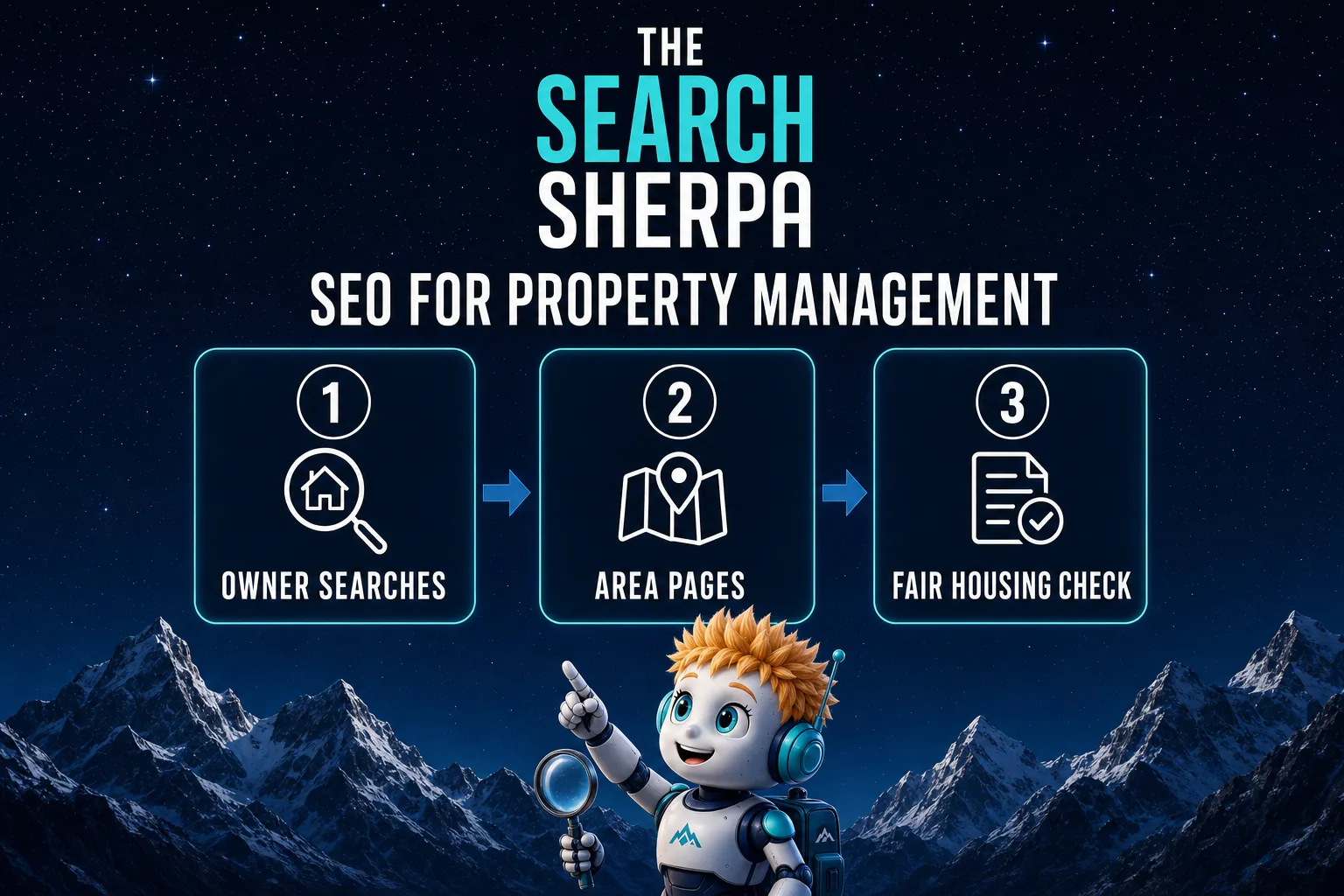
SEO for Property Management (2026): How Managers Get Found by Owners

SEO for Insurance Agencies (2026): How Local Agents Get Found

Hiring an AI Website Developer: What YouTube Videos Cannot Prove
Join Over 400,000 Entrepreneurs Getting Our Weekly Newsletter
Recent Posts
October 24, 2026
Diagnose why Claude Code changes disappear, preserve your work, and coordinate coding sessions with clear ownership, separate checkouts, and a reviewed handoff.
October 24, 2026
Alyssa changes a headline. Five forgotten Claude Code sessions have other plans. Watch Ghost in the Shells, an animated comedy about conflicting AI
October 15, 2026
SEO for property management in 2026: reach rental owners with a Google Business Profile, area pages, Fair Housing-safe copy, honest reviews, and cost.