
Doppler vs 1Password vs LastPass for sharing API keys across Claude Code, Grok CLI, and AI agent workflows.
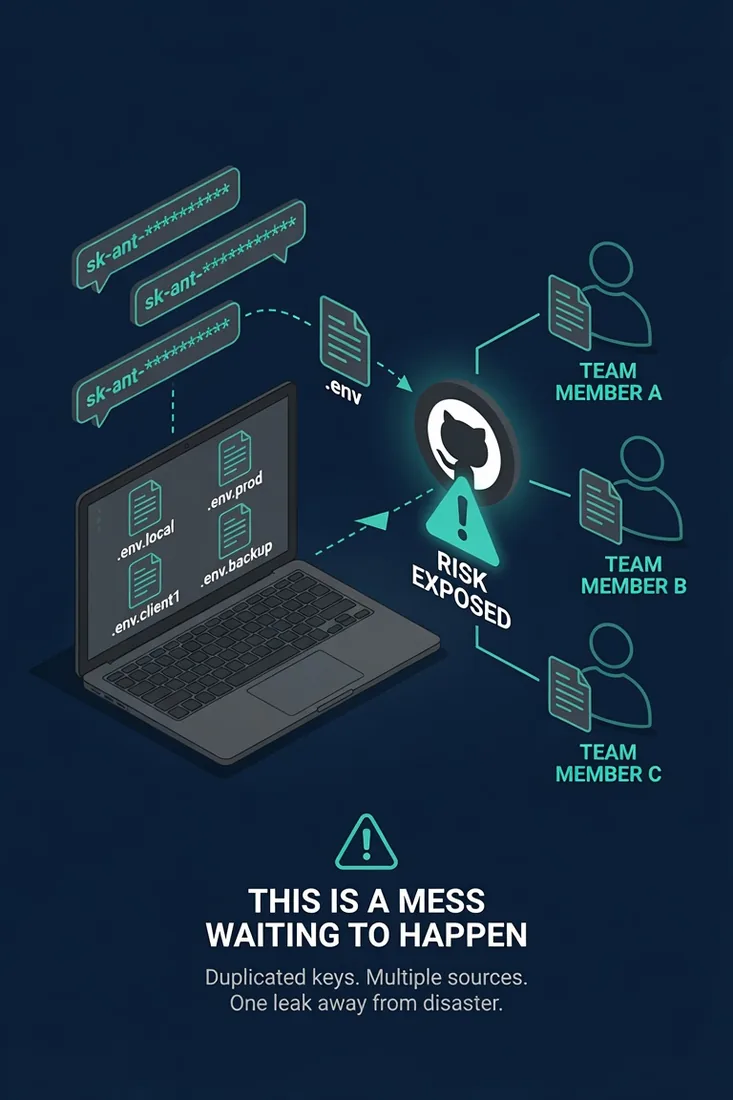
There’s a moment most agencies and dev teams hit once they start using Claude Code, Grok CLI, and other AI coding tools with more than one person. Someone needs the Anthropic API key. Someone else needs the GitHub token. A new contractor needs read access to one specific OpenAI key for one specific project. And suddenly you’re pasting credentials into Slack, dropping .env files into Google Drive, or worse, committing them to a private repo and hoping nobody notices.
That pattern works for about a week.
This guide walks through the three password and secrets tools most teams reach for first: Doppler, 1Password, and LastPass. We looked at all three through the lens of how we actually use AI coding tools at The Search Sherpa. Shared API keys, multi-user CLI sessions, GitHub Actions, and AI agents that call services on your behalf.
Short version: we’d use Doppler for most teams. 1Password Business is a strong second if you’re already invested in it. LastPass we’d skip entirely.
Why a Regular Password Manager Isn’t Quite Enough
Password managers are built around a human typing or copying a credential into a login form. That works fine for your domain registrar or your Adobe account. It falls apart the moment a Claude Code session, a GitHub Action, or an automated agent needs to read that credential without a human in the loop.
What you actually need for AI coding work is closer to what the dev world calls secrets management:
- A central store for API keys, tokens, and service credentials
- A CLI that injects those secrets into a command at runtime, with no paste and no .env on disk
- Per-project and per-environment scoping, so the contractor on one client’s build can’t read another client’s keys
- Audit logs of who fetched what, and when
- GitHub Actions and Codespaces sync, if you’re using either
- A service token pattern for headless agents and CI jobs
That’s where Doppler and 1Password split from a tool like LastPass.
Doppler: The One We’d Reach For First
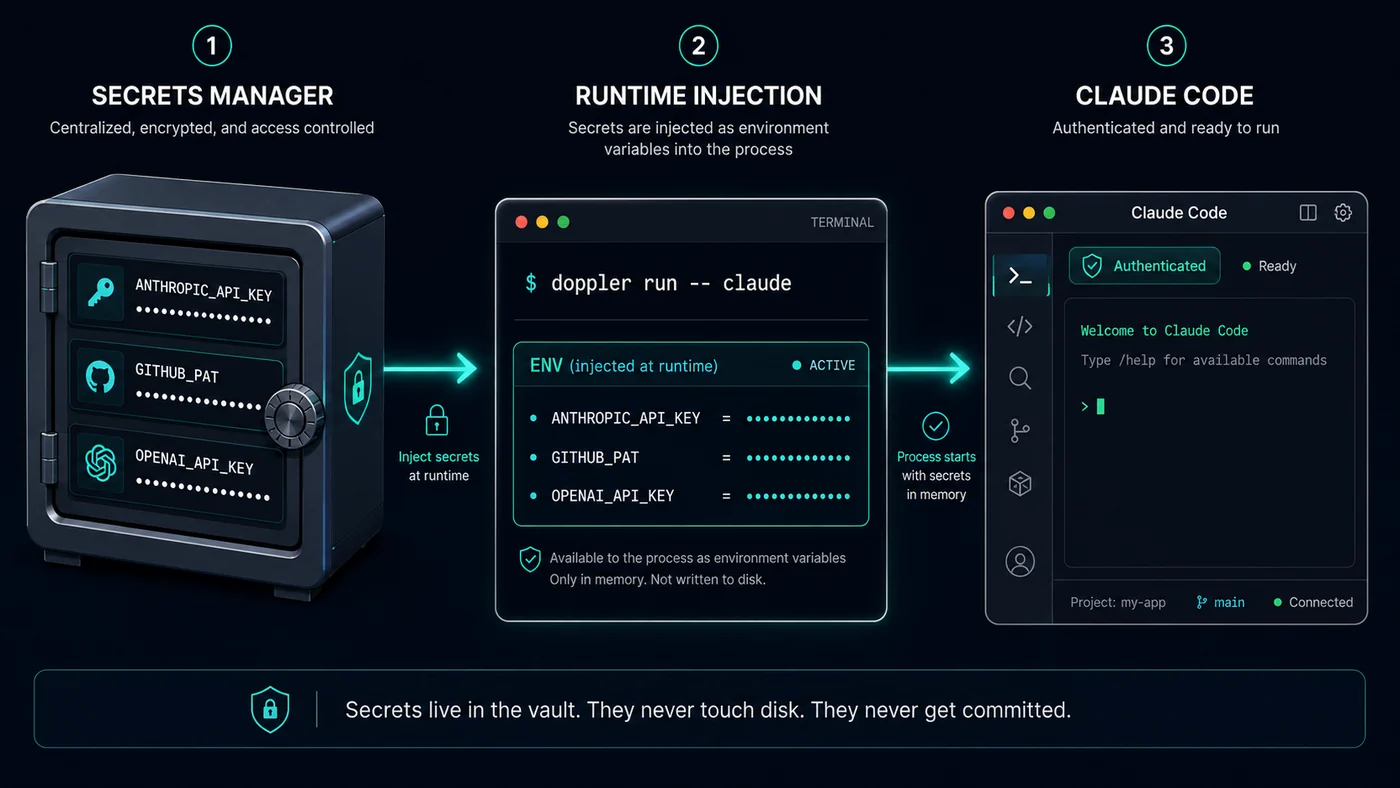
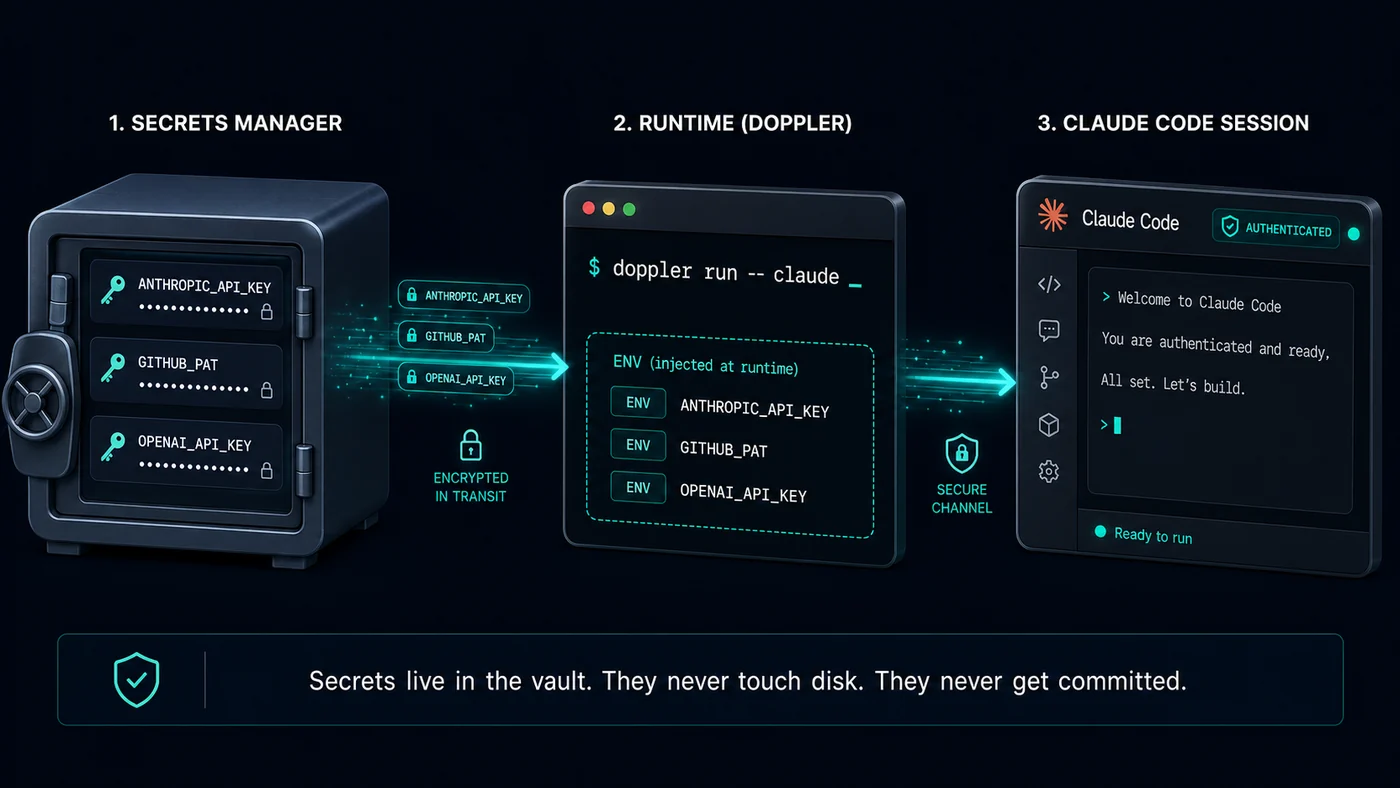
Doppler is built specifically for this use case. You organize work into projects and configs (dev, staging, prod, or one per client), and you run your commands through their CLI. The pattern is doppler run -- your-command, and your keys land in the process as environment variables. They never sit on disk. They never get committed.
A few things that matter for AI coding teams:
- The free Developer tier covers up to 3 users and gives you the full CLI, service tokens, and GitHub sync, which is plenty to test the workflow before you spend a dollar. One honest caveat: the free tier keeps only 3 days of activity logs, so the real audit trail lives on the paid plans.
- Service tokens are scoped to a single config, so an agent or a CI runner only sees the keys it needs.
- The official Doppler GitHub App syncs secrets directly into repo and organization secrets. Your Actions, Codespaces, and local Claude Code stay aligned automatically.
- On the Team plan, activity logs stretch to 90 days and are searchable by user and time.
Doppler’s Team plan runs $21 per user per month (Doppler pricing page, 2026). That’s not the cheapest tool in this category. But for an agency or dev team running multiple Claude Code projects across multiple clients, the project and config model maps cleanly to how the work is already organized in your head.
1Password Business: Strong If You Already Use It
1Password Business runs $7.99 per user per month on annual billing. If your team already lives in 1Password for logins, the case for adding their developer features is strong.
The standout for AI coding work is the .env reference pattern. You commit a .env file that contains references to 1Password items instead of real values. At runtime, op run --env-file=.env -- your-command loads the real keys into the process. The repo never holds a real credential, and your team uses the same UI they already know for both Adobe logins and Anthropic API keys.
What you give up compared to Doppler is some of the project and environment depth, and the breadth of dedicated sync integrations. What you gain is one tool that handles both human logins and machine secrets, which is a real benefit for small teams trying to keep their stack lean.
LastPass: We Wouldn’t
LastPass had a major two-stage breach in 2022 that is still producing consequences in 2026. Source code was stolen in August 2022. A backup of customer vault data was taken later that year. In December 2025, the UK Information Commissioner’s Office fined LastPass £1.2 million for failing to implement appropriate security measures. Separately, LastPass agreed to a roughly $24.5 million class action settlement that carves out a dedicated $16.25 million pool for customers whose cryptocurrency was stolen from compromised vaults, with individual crypto claims reaching up to $900,000 (UK ICO records and U.S. court filings, 2025 to 2026).
Past breaches alone aren’t an automatic disqualifier for every tool. But LastPass also doesn’t have the developer-focused features that make this category worth paying for. There’s no project and environment model that fits AI coding work, no first-class CLI injection pattern that matches Doppler or 1Password, and no native GitHub sync built around how engineers actually work.
For multi-user Claude Code work in 2026, we’d pick something else.
Honorable Mention: Infisical (Open Source)
If you want open source, self-hosting, or you’d rather not store agent secrets in a third-party SaaS, Infisical sits in the same category as Doppler and is worth a look. Cloud pricing is around $18 per identity per month, where an identity counts both people and machines, and self-hosting is free under an open source license if your team is comfortable running the infrastructure.
For most local agencies and small dev teams, Doppler’s cloud is faster to get running. For teams with compliance constraints or strong feelings about self-hosting, Infisical is the alternative we’d test next.
Quick Comparison
| Tool | Best for | Starting price (2026) | CLI injection | GitHub sync |
|---|---|---|---|---|
| Doppler | Multi-user Claude Code teams, agencies | Free (3 users) / $21 per user / mo | Yes (doppler run) | Native app |
| 1Password Business | Teams already in 1Password | $7.99 per user / mo | Yes (op run) | Action available |
| Infisical | Open source, self-host | Free self-host / ~$18 per identity / mo cloud | Yes (infisical run) | Native |
| LastPass | Not recommended for this use case | n/a | Limited | Limited |
How We’d Wire This Up for Claude Code
A simple starting workflow that we use as a template:
- Pick the tool. Start with Doppler’s free tier if you’re not sure.
- Create one project per client or per repo.
- Create configs for dev and prod, or one per Claude Code workflow.
- Add your Anthropic API key, GitHub PAT, and any other tokens to the relevant config.
- Run Claude Code through the CLI wrapper, for example
doppler run -- claudeor your equivalent. - Create a service token for any GitHub Action or headless agent that needs read access.
- Pull GitHub repo secrets in through the Doppler GitHub App so your CI matches local.
That replaces the Slack paste pattern entirely. New contractors get added to one project and one config. Departing contractors get removed from one place. Audit logs tell you who pulled what.
Bottom Line
The decision is shaped less by the tool’s marketing and more by how your team already works.
- Multi-user Claude Code team, no existing password manager: Doppler
- Team already in 1Password: 1Password Business with
op run - Need open source or self-hosting: Infisical
- Currently in LastPass: migrate
If you’re building out an SEO, content, or AI workflow that touches Claude Code, GitHub, and a handful of client accounts, the time to set this up is before the second person joins the project, not after a key ends up somewhere it shouldn’t be.
For more on running Claude Code in a real working environment, we have a separate piece on Claude Code for local business owners, a rundown of the best YouTube creators teaching Claude Code in 2026, and a guide to the GitHub repositories that turn Claude Code into a safer developer stack.
Frequently Asked Questions
What’s the cheapest secrets management option for a solo developer using Claude Code?
Doppler’s free Developer tier covers up to 3 users with full CLI access, service tokens, and GitHub sync. For a solo developer or a two-person team, it’s hard to beat. If you’re already paying for 1Password, the op CLI works fine for managing your own API keys too.
Is GitHub Secrets enough on its own?
GitHub Secrets covers Actions and Codespaces well, but it doesn’t help with local Claude Code sessions, multi-repo sharing, or quick updates when one API key changes and you need it reflected in ten places. Most teams pair GitHub Secrets with a central store like Doppler or 1Password so the same value lives in both places automatically.
Can I use a regular password manager like LastPass or Bitwarden for API keys?
Technically yes. Practically, you give up the CLI injection, the project scoping, and the GitHub sync that make secrets management worth the money. For one person with a handful of keys, it works. For a multi-user Claude Code team, it doesn’t scale.
How does this work with AI agents that need to call APIs on their own?
Most secrets managers support service tokens or service accounts, a credential scoped to one config or one project, usually read-only by default. The agent authenticates with the service token, pulls the secrets it needs at runtime, and never sees anything outside its scope. That’s the safer pattern, and it’s what we’d build any agent workflow around.
Doppler vs 1Password for a Claude Code team: which should I pick?
If you have no password manager yet and you want the cleanest project and config model across multiple clients, start with Doppler. If your team already pays for 1Password and lives in it daily, add the developer features and use op run rather than buying a second tool. Both keep secrets off disk and out of version control, so the deciding factor is almost always what your team already uses, not a feature gap.
Explore This Topic

SEO for Financial Services: The Work and What It Costs

SEO Consultant Cost (2026): Hourly, Project and Retainer Rates Explained

Google Business Profile Management Pricing (2026): What the Work Costs and What the Profile Is Worth

Reputation Management Pricing (2026): What Each Price Tier Buys, and What No Price Can Buy

Law Firm SEO Cost (2026): Pricing and the Math on a Signed Case
Join Over 400,000 Entrepreneurs Getting Our Weekly Newsletter
Recent Posts

September 16, 2026
A practical WordPress heading guide for local businesses using Rank Math. Learn the H1 rule, the three titles people mix up, and download

September 4, 2026
Watch AI SEO creator Joshua Albanese explain why most business owners already hold thousands of potential customers in unused spreadsheets, and what changed
September 4, 2026
Your booking software holds consultations that never converted and patients who came once and left. Here is how to read those records safely,